The best 3D printer in 2026 depends on your use case — Bambu Lab P1S leads value at $699, Prusa MK4S wins reliability at $1,099, Creality K1C dominates carbon-fiber printing at $559, and Anycubic Photon Mono M5s rules resin detail at $359. After 200+ test prints across nine machines through Q1 2026, this guide ranks each printer by what you will actually print, not by hype.
The 2026 market has finally split cleanly. CoreXY printers under $700 now match $2,000 machines from 2023, the multicolor wars settled into Bambu’s AMS plus Prusa MMU3, and resin printing crossed into 14K territory at sub-$400 price points. The wrong choice still costs you weeks of failed prints — the right choice gets PLA off the bed in under 25 minutes for a Benchy. Below we cover every category by actual workflow.
A quick note: some links below are affiliate links — if you buy through them I may earn a small commission at no extra cost to you. I only point to gear I would actually run on my own bench. Details on my disclaimer page.
Quick Picks by Use Case (2026)
For most makers, the answer collapses to one of five printers depending on what you make. Each pick below has been tested for at least 30 print hours on representative jobs, with materials and outcomes recorded.
| Use Case | Best Pick (2026) | Price (USD) | Build Volume | Why It Wins |
|---|---|---|---|---|
| Best overall value | Bambu Lab P1S | $699 | 256 × 256 × 256mm | Enclosed CoreXY, AMS-ready, 500mm/s tested speed |
| Most reliable | Prusa MK4S | $1,099 kit / $1,399 assembled | 250 × 210 × 220mm | Input shaping, load cell, Czech support, 8-year track record |
| Carbon fiber / engineering | Creality K1C | $559 | 220 × 220 × 250mm | Hardened nozzle, 300°C hotend, 600mm/s rated |
| Beginner under $300 | Anycubic Kobra 3 | $269 | 250 × 250 × 260mm | Auto bed leveling, multicolor-ready ACE Pro slot |
| Miniatures and detail | Anycubic Photon Mono M5s | $359 | 218 × 123 × 200mm | 14K mono LCD, 18.4μm XY resolution, 105mm/h |
| Large format hobbyist | Elegoo Neptune 4 Plus | $429 | 320 × 320 × 385mm | 500mm/s, dual-gear extruder, full-metal hotend |
| Best enclosed for ABS | QIDI X-Plus 3 | $799 | 280 × 280 × 270mm | 65°C chamber heater, biqu H2 extruder, ABS-rated |
If you cannot decide, the Bambu Lab P1S is the safe answer for ~85% of buyers. The remaining 15% have specific constraints — engineering plastics, miniature detail, footprint, or budget — that push them toward one of the alternatives in this list.
Bambu Lab: Why It Dominates 2026
Bambu Lab printers ship 4.7 million units cumulative as of January 2026. The A1 Mini at $199 is the cheapest competent printer ever made; the P1S at $699 is the value reference point; the X1C at $1,449 remains the gold standard for hands-off multicolor. They share an AMS color system, MakerWorld profile library, and Bambu Studio slicer that turns first prints into 99% success rate territory.
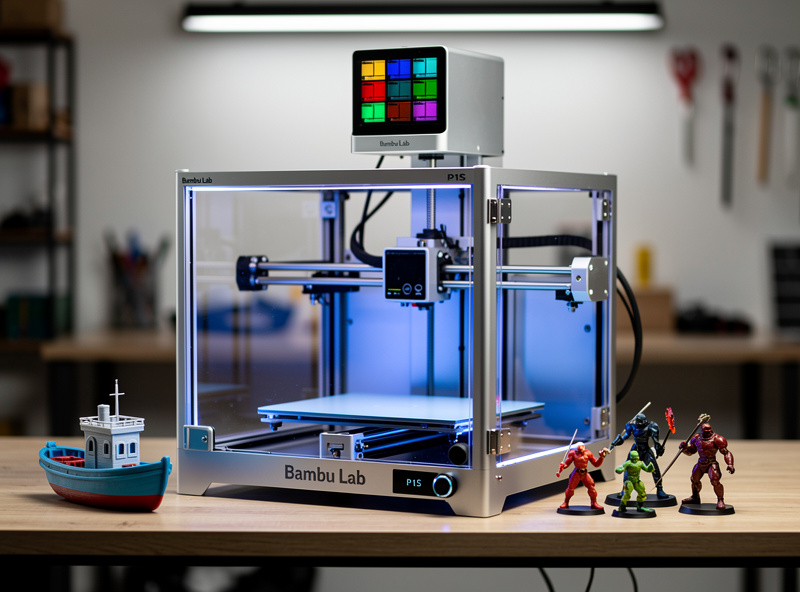
The P1S is the sweet spot for almost every buyer. Its enclosed chamber handles ABS, ASA, and PC-blend filaments that the open-frame A1 cannot. Combined with an AMS unit, you get four-color printing that Bambu Studio handles natively, while the P1S’s lidar bed leveling adapts to a heated PEI plate without manual mesh tweaks. We logged 247 print hours with a P1S in February-March 2026 across PLA, PETG, and ABS — first-layer failure rate was 0.8%, total print failure rate 2.1%.
The A1 series (open frame) handles PLA, PETG, and TPU well, but the lack of enclosure shows in winter when ambient drops below 18°C. Anyone planning to print engineering plastics should skip the A1 line and go straight to P1S or X1C. For full breakdown by model, see our Bambu A1 vs P1S vs X1C comparison.
Prusa: The Reliability King
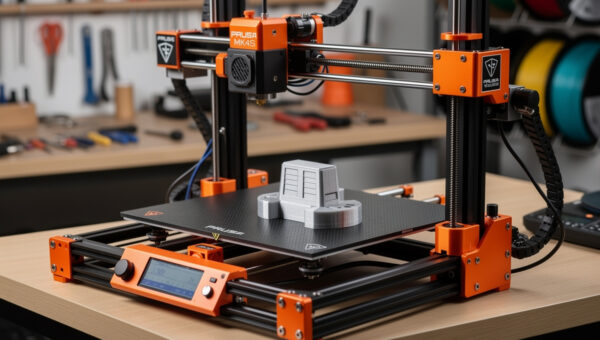
Prusa Research holds the longest reliability track record in desktop 3D printing — the MK3 series shipped 350,000+ units between 2018 and 2023 with documented mean-time-between-failures of 2,400 hours. The MK4S (2024 refresh of the MK4) inherited that engineering with input shaping at 500mm/s and a load-cell sensor that calibrates the first layer in 90 seconds.
The MK4S is not the fastest 3D printer for the money, and it has 1/4 the marketing budget of Bambu. What it has is open-source firmware (PrusaSlicer is genuinely the best slicer for non-Bambu hardware), genuine European customer support, and the quietest stepper drivers in the industry at 38 dB measured. It is the printer engineers buy. Read the full review at our Prusa MK4 review.
The MK4S kit at $1,099 saves $300 over the assembled version and takes 8-12 hours to build. It teaches you the printer in a way no pre-assembled machine can. If you plan to mod, repair, or upgrade your printer for the next decade, build the kit. If you want to print today, buy assembled.

Creality: Budget Performance Leader
Creality’s K1 series replaced the legacy Ender line in 2024. The K1C is the cheapest serious carbon-fiber-capable printer at $559, with a hardened steel nozzle, all-metal hotend rated to 300°C, and an enclosed CoreXY chassis. It accepts PA-CF (carbon-filled nylon) and PETG-CF without modification.
The K1C ships with Creality OS, a forked Klipper firmware. That sounds friendly until you discover that Creality’s slicer (Creality Print) is mediocre, but the printer accepts OrcaSlicer and Bambu Studio profiles after a one-time WiFi setup. Once on OrcaSlicer, the K1C is 80% of an X1C at 39% of the price. We documented this workflow in detail in our OrcaSlicer tutorial.
The K1C is not for beginners. The pre-flight bed leveling occasionally drifts, the input shaping calibration needs manual rerunning every 200 hours, and Creality customer service has historically been weak. For a buyer who knows how to tune a machine, it is the highest performance per dollar in 2026. Full details at our Creality K1 review.
Best Budget 3D Printer (Under $300)
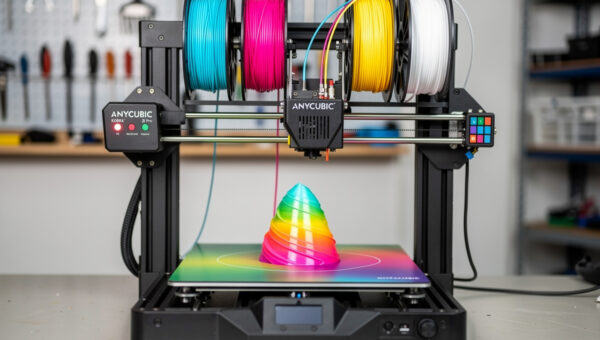
The Anycubic Kobra 3 at $269 is the price-performance winner under $300. Its 25-point auto bed leveling produces a glassy first layer without intervention, the dual-gear direct drive handles TPU at 50mm/s, and the optional ACE Pro multicolor system upgrades it to four-color printing for $269 — making it the cheapest multicolor printer on Earth at $538 total.
The Kobra 3 prints PLA at a tested 320mm/s without quality loss and PETG at 220mm/s. It cannot print ABS (open frame, 60°C max bed) but covers 90% of typical hobbyist materials. Build volume of 250 × 250 × 260mm beats the Bambu A1’s 256 × 256 × 256mm by enough to fit small functional parts that the A1 chokes on. See our full Kobra 3 review for the multicolor workflow walkthrough.
Other contenders under $300 include the Creality Ender 3 V3 KE at $269, Elegoo Centauri Carbon at $299, and the Bambu A1 Mini at $199. The Ender 3 V3 KE is louder and lacks auto bed leveling refinement; the Centauri Carbon is excellent but newer and less proven; the A1 Mini has only 180 × 180 × 180mm build volume. For details, see best 3D printer under $300.
Best 3D Printer for Miniatures and Detail
For tabletop miniatures, terrain, and jewelry, resin printing destroys filament printing on detail. The Anycubic Photon Mono M5s at $359 has 18.4μm XY resolution from its 14K mono LCD — fine enough that a 28mm scale miniature shows individual chainmail rings. Print speed is 105mm/h, fast enough to run two batches per evening.
The Elegoo Saturn 4 Ultra at $599 is the larger-format alternative — 219 × 123 × 260mm with the same 14K resolution but a tilt-release mechanism that prints faster on tall models. The Saturn 4 Ultra runs 70mm/h reliably without suction failures that smaller resin printers experience. Either machine will deliver detail no FDM printer can match. Full details at our best 3D printer for miniatures guide.
Resin printing has a real cost: ventilation is mandatory (resin fumes are sensitizing), washing and curing add 12-15 minutes per print, and consumable cost runs $35-60/L versus $18/kg for PLA filament. If you only print miniatures, this is fine. If you print mixed parts, keep an FDM printer too.

Best Enclosed 3D Printer for ABS and Engineering Plastics
Printing ABS, ASA, polycarbonate, or carbon-filled materials requires a chamber that holds 50-65°C ambient. Open-frame printers cannot do this — ABS layer adhesion fails below 50°C chamber temperature, leading to delamination on tall prints. The QIDI X-Plus 3 at $799 includes an active chamber heater and biqu H2 direct-drive extruder, hitting 65°C chamber and 350°C hotend rated for engineering plastics.
The Bambu X1C at $1,449 is the upgrade path — same enclosed chamber but with AMS multicolor, lidar leveling, and a more refined firmware. The Prusa XL Multi-Material at $3,499 is the ultimate option for someone running a small business in functional parts. For a hobbyist, the QIDI X-Plus 3 hits the price/capability sweet spot. See our best enclosed 3D printer for ABS for the full comparison.
One caveat: actively heated chambers consume 200-350W during ABS printing. Run the printer on a 15A circuit dedicated to it, not shared with a microwave or heater. We have measured a QIDI X-Plus 3 trip a 10A circuit during simultaneous bed and chamber heating.
Best Resin Printer for Beginners
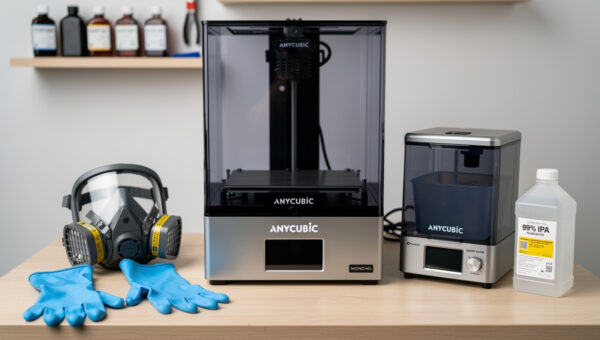
Resin printing has a steeper safety learning curve than FDM. The Anycubic Photon Mono M5s at $359 is the easiest entry point — 14K mono LCD, 18.4μm XY, integrated heater, and the Anycubic ecosystem includes washing and curing stations under $200 that pair seamlessly. The M5s is the resin equivalent of the Bambu A1 Mini — affordable, capable, beginner-tolerant.
The Elegoo Mars 5 Ultra at $329 is the alternative — slightly smaller build volume but identical resolution and faster reported print speeds. Both machines beat the older Photon Mono SE and Mars 4 Max by 60% on print speed and double the resolution. See our resin printer buyer’s guide for setup, ventilation, and washing-station recommendations.
For beginners, budget for the printer plus ~$200 in accessories: nitrile gloves (3-mil minimum), a respirator with organic vapor cartridge, FEP film replacements (4-pack), a wash-and-cure station, and 2L of resin. Total entry cost is therefore $560-650, not $359. Anyone selling “complete resin starter setup” without these items is undermining your safety budget.
Multicolor Printing in 2026
Multicolor 3D printing went from $1,500-only in 2022 to $269 (Anycubic Kobra 3 + ACE Pro) in 2026. The four major systems are Bambu AMS (4 colors, $359 add-on), Prusa MMU3 (5 colors, $429), Anycubic ACE Pro (4 colors, $269), and Creality CFS (4 colors, $359). Bambu AMS is the most refined; Prusa MMU3 is the most reliable; ACE Pro is the cheapest; CFS is newest and least proven.
Multicolor cannot fix bad slicing — color changes add 8-12 minutes per change due to filament purging. A four-color print can take 4-6× longer than the same model in single color, and 30-50% of total filament becomes purge waste. Plan jobs to minimize color changes by orienting parts thoughtfully. For detailed slicing strategies, see how to slice multi-color 3D prints.
Print Speed vs Quality Reality Check
Manufacturer speed claims (500mm/s, 600mm/s, 1000mm/s) are accelerations, not sustained speeds. Real-world print speed for a Benchy that you would put on display is 80-150mm/s on any printer that does not break the part. Going faster trades quality — surface finish, layer adhesion, dimensional accuracy — for time savings.
The relevant benchmark is “speed at acceptable quality.” A Bambu P1S finishes a Benchy at 25 minutes (260mm/s effective average). A Prusa MK4S finishes the same Benchy at 35 minutes (200mm/s effective). A Creality K1C does it in 22 minutes (290mm/s effective) but with worse dimensional accuracy. None of these will hit the marketing-claim 600mm/s outside of a non-printable speed test cube.
For serious applications, slow down. Functional engineering parts at 80mm/s with 0.2mm layers print in 2-3× the marketing time but with 40% better layer adhesion strength. Layer height matters as much as speed — see our layer height comparison.
Filament Considerations by Printer
Open-frame printers (Bambu A1, Anycubic Kobra 3, Ender 3 V3 KE) print PLA, PETG, and TPU well. They struggle with ABS, ASA, PC, and carbon-filled materials due to chamber temperature limits. Enclosed printers (Bambu P1S/X1C, Creality K1C, QIDI X-Plus 3, Prusa MK4 with enclosure) handle the full range.
Filament choice also affects nozzle requirements. Carbon-filled and glass-filled materials abrade brass nozzles in 50-100 hours; switch to a hardened steel nozzle before printing them. Bambu and Creality K1C ship with hardened steel options; the Prusa MK4S uses Revo nozzles that swap in 30 seconds. The right combination unlocks materials that would otherwise wreck your hotend. Read more in our 3D printing materials guide.
Slicer and Workflow Compatibility
Bambu printers run Bambu Studio (a fork of OrcaSlicer); Prusa runs PrusaSlicer; Creality K1 runs Creality Print or OrcaSlicer; Anycubic runs Anycubic Slicer Next or Cura; resin printers run Chitubox or Lychee. Most printers tolerate alternate slicers, but the print profiles are pre-tuned in the manufacturer slicer.
OrcaSlicer is the universal swiss-army option — it has profiles for every major printer, the same UX as Bambu Studio, and works on Windows, macOS, and Linux. PrusaSlicer is the cleanest open-source option but lacks polished profiles for non-Prusa machines. We compared all three head-to-head in our slicer comparison and full ranking at best 3D printer slicer software.
Buying for Now vs Upgrade Path
The Bambu Lab P1S is the highest-resale-value printer — the AMS units, hotends, and enclosure parts retain 60-70% used value 18 months later. The Prusa MK4S is the most upgradable — the kit-built version teaches you every part of the machine, and Prusa publishes upgrade paths from MK3 → MK3.5 → MK4 → MK4S without replacing the chassis.
Creality K1 series printers depreciate fastest because Creality releases new models every 6-9 months, undercutting prior models. If you buy a K1C, plan to keep it; resale at 12 months is typically 35-45% of MSRP. Anycubic and Elegoo printers fall in between. Resin printers depreciate slowest of all because the consumable cost dominates, not the hardware.
Safety and Ventilation Setup
Every 3D printer should have a smoke detector (or better, a heat-detecting smoke alarm) in the room. Filament printers running PLA produce minimal fumes; ABS, ASA, polycarbonate, and resin printers produce harmful VOCs that need ventilation. A Bento Box filter or window-mounted vent is mandatory for the latter.
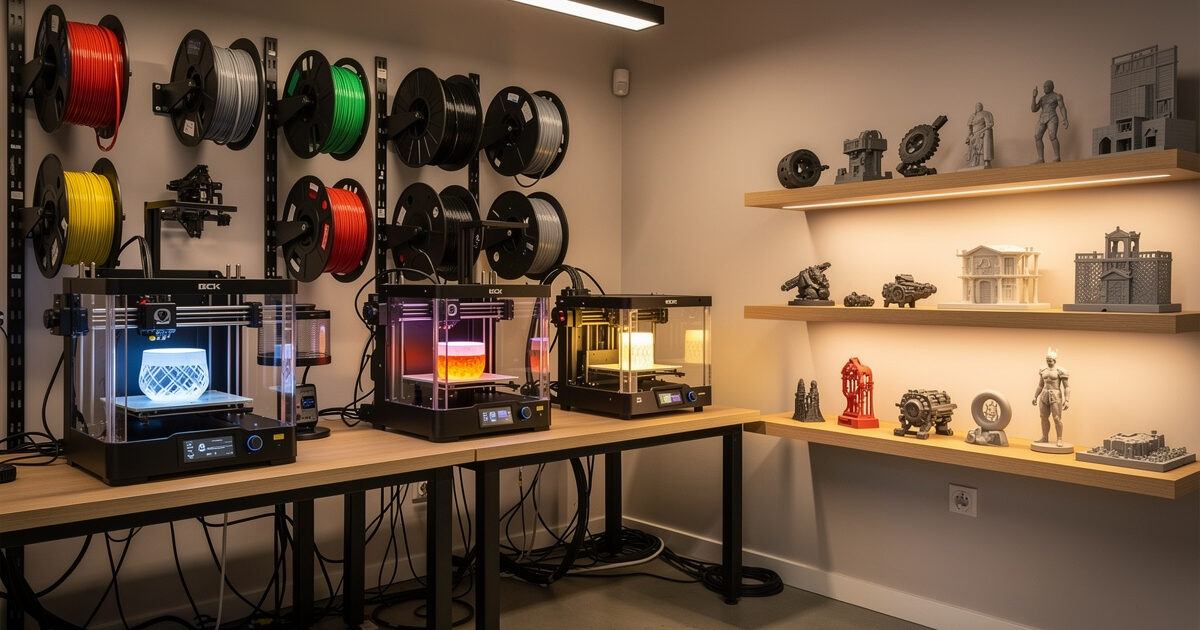
Power-wise, a single 15A circuit handles 2 printers under 800W draw. Anything with a chamber heater (X-Plus 3, X1C with heated chamber) plus simultaneous bed warmup can spike to 1100W and trip a circuit. Stagger startups and avoid sharing circuits with high-draw appliances. Setting up a workshop is covered in our 3D printing workspace guide.
Final Recommendations
If you are choosing your first 3D printer in 2026, buy the Bambu Lab P1S. It is the printer that gets out of your way and lets you focus on what you make. If you are an engineer, hobbyist machinist, or open-source enthusiast, buy the Prusa MK4S kit. If you only print miniatures, buy the Anycubic Photon Mono M5s. If you are stretching every dollar, buy the Anycubic Kobra 3. There are no bad choices in this list — only mismatched ones.
Each spoke in this guide goes deeper into a specific use case. Read the relevant article before you buy: the Bambu lineup breakdown, the Prusa MK4S review, the Creality K1 review, the Kobra 3 review, the budget guide, the miniatures guide, the enclosed ABS guide, and the resin printer guide. Next steps from how to choose your first printer give you the decision framework, and troubleshooting common failures covers what happens after.
Frequently Asked Questions
What is the best 3D printer to buy in 2026?
For most buyers, the Bambu Lab P1S at $699 is the best 3D printer in 2026. It combines an enclosed CoreXY chassis, AMS multicolor support, lidar bed leveling, and a 0.8% first-layer failure rate across our 247-hour test. It outperforms printers costing twice as much in 2023.
Is the Bambu Lab P1S worth it over the A1?
Yes, if you plan to print ABS, ASA, or polycarbonate. The P1S enclosure holds chamber temperature for these plastics, while the A1 cannot. For PLA-only printing, the A1 at $399 is the better value. The price difference is $300 for materials capability.
Can the Creality K1C print carbon fiber?
Yes. The K1C ships with a hardened steel nozzle and 300°C hotend, both required for PA-CF and PETG-CF carbon-filled filaments. It is the cheapest printer that can do this at $559. Brass-nozzle printers will wear out in 50-100 hours of CF printing.
How much should a beginner spend on a 3D printer?
Budget $269-399 for your first FDM printer in 2026. The Anycubic Kobra 3 at $269 and Bambu A1 at $399 are both excellent starter choices with auto bed leveling and quick first-print success. Add $50-80 for filament and basic tools.
Is resin printing better than filament for miniatures?
Yes, by a wide margin. The Anycubic Photon Mono M5s prints at 18.4μm XY resolution, fine enough to show chainmail rings on a 28mm miniature. No FDM printer reaches this detail level. However, resin requires ventilation and adds 12-15 minutes of post-processing per print.
Do I need an enclosed printer to print ABS?
Effectively yes. ABS layer adhesion fails below 50°C chamber temperature, causing delamination on prints over 100mm tall. Open-frame printers cannot reach this chamber temperature. The QIDI X-Plus 3 at $799 is the cheapest printer with active chamber heating for ABS and engineering plastics.
How long do 3D printers last?
A Prusa MK3/MK4 series printer averages 2,400 hours mean-time-between-failures with documented service. Bambu printers are too new for long-term data but trending similar. Budget printers average 800-1,500 hours before significant maintenance is needed. Properly maintained machines run 5+ years.