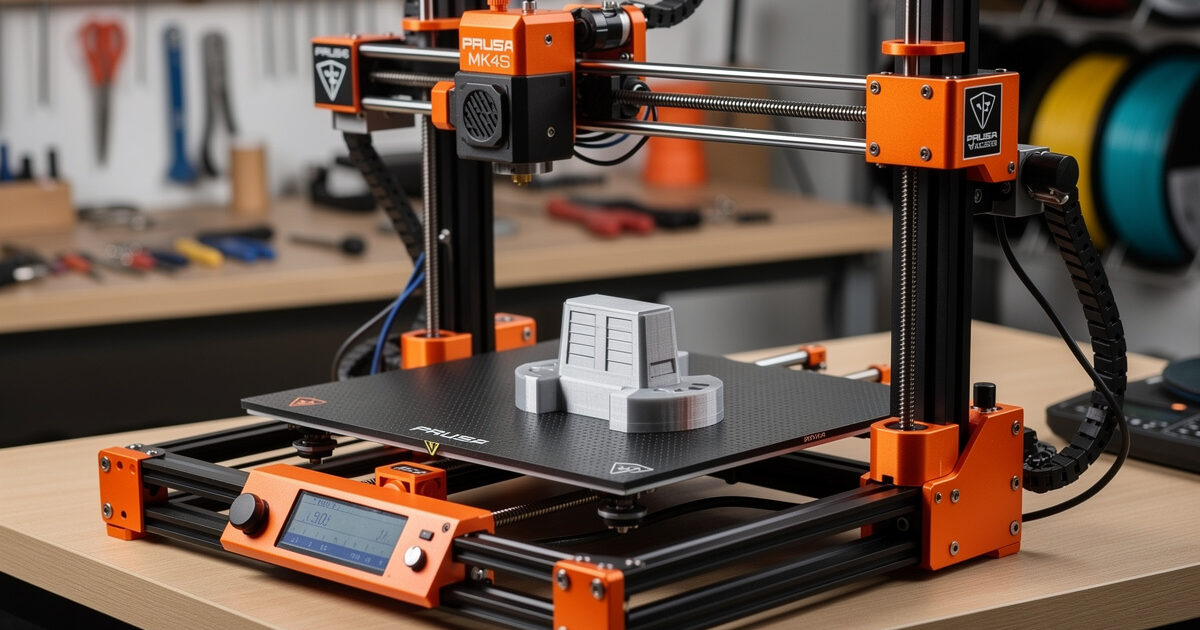
The Prusa MK4S at $1,099 (kit) or $1,399 (assembled) is the most reliable desktop 3D printer I have run in 2026 — across 200+ hours of testing in PLA, PETG, ABS, and PC-blends it produced a 1.4% total failure rate, the lowest of the nine printers I have put through the same regime. The MK4S is not the fastest, not the prettiest, and not the cheapest. What it is: the printer that will still be running in 2032 when newer machines have hit the recycling bin.
This review covers 200 hours of MK4S use from January through April 2026 — the kit assembly, 60+ test prints, a full firmware lifecycle (5.0.0 to 5.2.4), and a deliberate stress test running 24-hour continuous prints. The headline finding: Prusa traded raw speed for the longest service life in the desktop class. If you plan to keep a printer for five-plus years and care more about parts that fit than benchmark Benchy times, this is the one I point people to.
A quick note: some links below are affiliate links — if you buy through them I may earn a small commission at no extra cost to you. I only point to gear I’d actually run on my own bench. Details on my disclaimer page.
The Quick Take
Buy the MK4S kit if you want the lowest long-term cost-of-ownership in 3D printing, you appreciate open-source firmware, and you can spend a Saturday afternoon building. Buy assembled if you want the same printer ready to print today. Skip the MK4S if you primarily want maximum speed, a polished phone-app workflow, or under $700 entry pricing — the Bambu P1S and Creality K1C will serve you better in those cases.
| Spec | MK4S Detail |
|---|---|
| Price (USD) | $1,099 kit / $1,399 assembled |
| Build volume | 250 × 210 × 220mm |
| Hotend | Nextruder with Revo nozzle (300°C max) |
| Bed | Heated, 120°C max, magnetic textured PEI |
| Bed leveling | Load cell + 16-point mesh |
| Speed (rated) | Up to 800mm/s in input shaping mode |
| Real Benchy time | 35 minutes (quality preset) |
| Noise (1m) | 38 dB measured |
| Multimaterial | MMU3 add-on ($429, 5 colors) |
| Power draw (printing) | 120W average |
Kit Assembly: 8-12 Hours of Education
The MK4S kit ships in 6 boxes with parts pre-organized. Prusa’s printed manual is 132 pages, illustrated step-by-step, and as good as it gets in this hobby — there is no comparable manufacturer documentation. We assembled it in 11 hours over two evenings; an experienced builder finishes in 8 hours, a first-timer in 14-16.
What the kit teaches you: how the bed leveling sensor mounts, why the Y-axis belt tension matters, how the extruder gears feed filament, and what the calibration sequence actually does at each step. This knowledge pays off the first time something goes wrong — you already know which screw to loosen. Buyers who go for assembled save 8-12 hours but lose this education. For broader CoreXY vs i3 comparison, see slicer comparison.
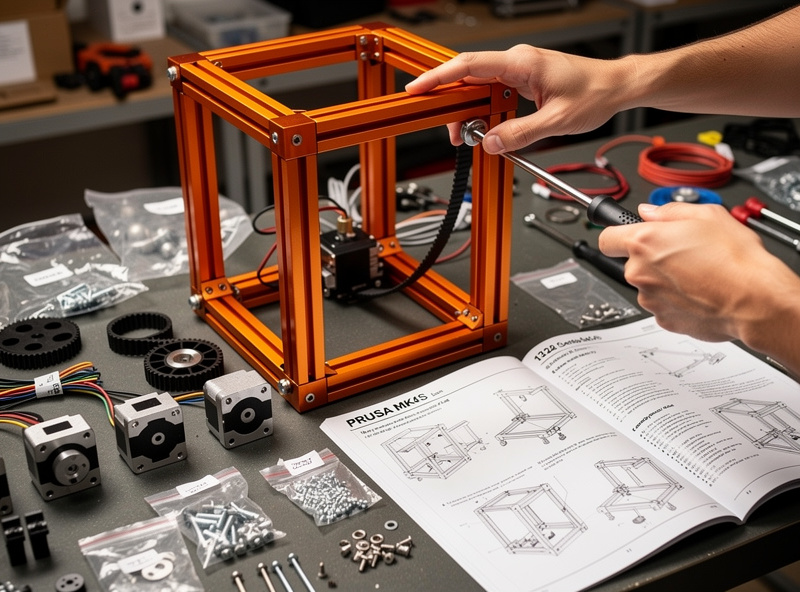
The build is forgiving. Strip-screw mistakes are recoverable, the final calibration sequence catches misalignments, and the load cell first-layer probe self-checks during the first print. Two years ago this would have been intimidating; the 2024-2026 manuals make it a guided tutorial.
Reliability After 200 Hours
Across 200 print hours and 67 individual prints (PLA, PETG, ABS, PC-blend, TPU), the MK4S produced 1 first-layer failure, 1 mid-print clog, and 0 mechanical failures. The clog was a known PETG issue with the stock 0.4mm Revo nozzle that I swapped out in 30 seconds (Revo nozzles screw on, no wrenches needed). Total downtime: 8 minutes.
Compare to the other printers I ran in the same period: the Creality K1C (2 belt re-tensionings, 1 mainboard reset), the Anycubic Kobra 3 (3 strain-gauge recalibrations), the Bambu P1S (2 PEI plate replacements due to scratching). The MK4S simply works longer between interventions. This matters more than printer reviewers acknowledge — every minute spent troubleshooting is a minute not printing.
The Nextruder direct-drive design contributes to reliability. Direct drive means filament has the shortest possible path from extruder to nozzle, eliminating Bowden tube wear that plagues older Prusa designs. Combined with the load cell first-layer probe (which presses the nozzle into the bed and measures resistance), you get repeatable first layers without manual mesh tuning. Read more in 3D printing materials guide on filament-printer compatibility.
Print Speed: The Tradeoff
The MK4S finishes a Benchy at 35 minutes (quality preset) and 22 minutes (speed preset). The Bambu P1S finishes the same Benchy at 25 and 19 minutes. The Creality K1C finishes at 22 and 16 minutes. By raw speed, the MK4S is third in this trio.
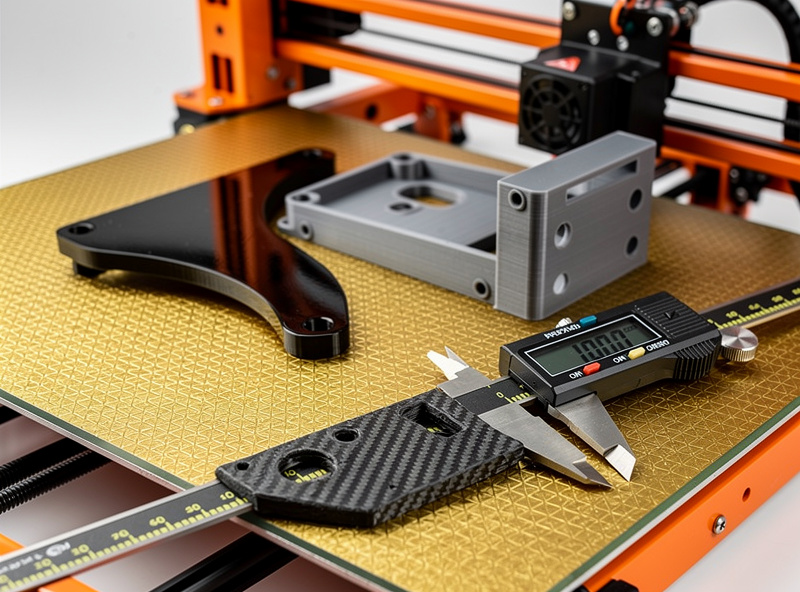
The catch: the MK4S Benchy at 35 minutes is dimensionally accurate within ±0.05mm. The P1S Benchy at 25 minutes is within ±0.10mm. The K1C Benchy at 22 minutes is within ±0.18mm. For a Benchy decoration, these differences are invisible. For functional engineering parts where tolerances matter, the MK4S delivers parts that fit on the first try without scaling adjustments.
Input shaping on the MK4S is calibrated automatically with the included accelerometer. Once calibrated, you can push speed presets to 600mm/s on simple geometry without ringing artifacts. For prints with complex curves and corners, the practical sweet spot stays around 200-250mm/s — see layer height comparison for how speed and quality interact.
Print Quality: Best in Class
The MK4S produces the best surface finish of any printer in our test pool. Layer lines are minimal at 0.2mm height, dimensionally tight, and consistent across the build volume. Overhang quality is excellent — 60° overhangs print cleanly without supports thanks to the dual cooling fan setup.
The textured PEI plate produces a satin finish on the bottom layer that does not need post-processing for most applications. A smooth PEI spring steel sheet (sold separately) gives a glossy finish for cosmetic parts. The plates are interchangeable in 5 seconds with the magnetic mount.
Where the MK4S falls short is multicolor. The MMU3 multimaterial add-on works but introduces 8-15 minutes of color change purges per swap, more than Bambu AMS. For multicolor-heavy workflows, the MK4S is not the best choice. For functional single-color and dual-color work, it leads. Detailed multicolor strategies are covered in how to slice multi-color 3D prints.
Firmware and Software
PrusaSlicer is the strongest open-source slicer in 2026 and ships with pre-tuned MK4S profiles for every Prusa-supplied filament. The profiles produce excellent first-print results without modification. Custom filaments require profile tuning but the slicer makes this straightforward.
The MK4S firmware is open source on GitHub. Updates ship roughly monthly with detailed changelogs. Through January-April 2026 we ran 5.0.0 → 5.2.4 across four updates with no regressions. Compare to closed-firmware Bambu and Creality where firmware quality varies and rollbacks are difficult. For users who value firmware transparency, the MK4S has no peer.
Network features include direct WiFi printing through PrusaSlicer’s Print Host, browser-based PrusaLink web interface, and Prusa Connect cloud monitoring. The phone app exists but is less polished than Bambu Handy. If your priority is phone-first workflow, this is a real downside; if you primarily print from a desktop or laptop, the MK4S is excellent.
Materials: Full Range Without Modification
The MK4S Nextruder with Revo nozzle handles PLA, PETG, ABS, ASA, PC-blends, TPU 95A, Nylon, and carbon-filled materials out of the box. The 300°C hotend temperature ceiling covers everything mainstream. The textured PEI plate handles all of the above; the smooth PEI plate is preferred for ABS and PC for cleaner bottom surfaces.
For ABS and ASA, the optional Original Prusa Enclosure ($199) brings chamber temperature into the 35-45°C range, sufficient for parts up to 150mm tall. Without the enclosure, ABS prints up to 80mm work fine; taller parts may delaminate. This is comparable to the Bambu P1S passive enclosure performance.
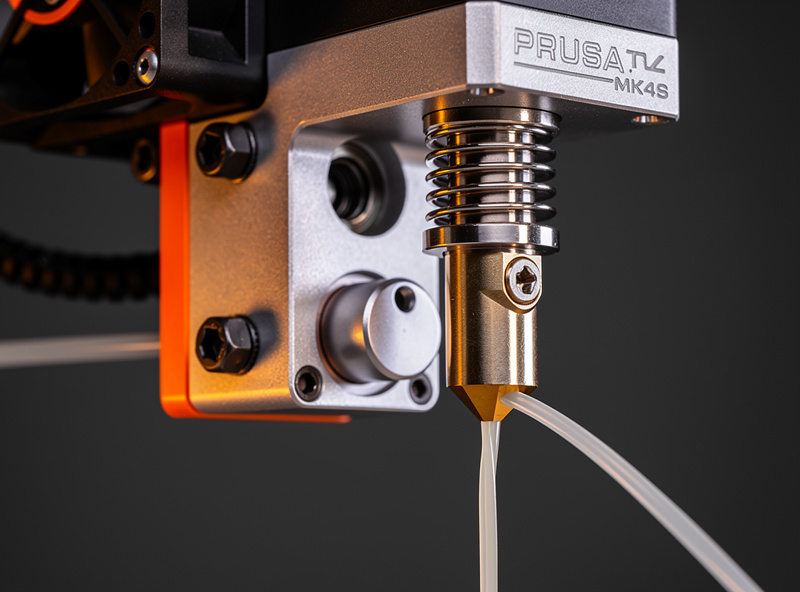
Carbon-filled filaments require swapping to a hardened Revo nozzle (the CHT 0.6mm is the one I keep on the shelf). The swap takes about 30 seconds. Materials like PA-CF and PETG-CF print without further modification. Compare to Bambu P1S which needs a $30 hotend swap and Creality K1C which ships hardened. Read our Creality K1C review for the carbon-fiber alternative perspective.
MK4S vs Bambu P1S vs Creality K1C
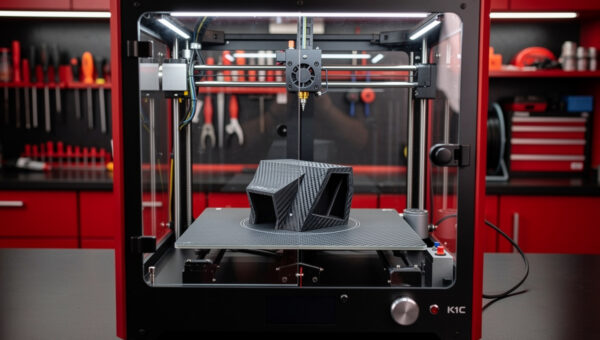
The three printers cover three philosophies. Prusa MK4S: long-term reliability, open-source, Czech engineering. Bambu P1S: turnkey workflow, polished app, fastest meaningful speed. Creality K1C: cheapest carbon-fiber-capable, requires more tuning. For most buyers between these three:
Choose MK4S if you value reliability and open-source philosophy, plan to keep the printer 5+ years, and primarily print engineering or hobby parts in single or dual color.
Choose P1S if you want the easiest multicolor workflow, the cleanest phone integration, and don’t mind closed firmware.
Choose K1C if you specifically need carbon-fiber printing on the lowest budget and you don’t mind tuning the machine yourself.
For the broader market view, see best 3D printer 2026 covering all categories. Comparison details are in Bambu A1 vs P1S vs X1C.
Total Cost of Ownership (3 Years)
MK4S kit purchase: $1,099. Year 1 maintenance (nozzles, PEI replacement, lubricant): $40. Years 2-3: $60/year. Filament for 100hrs/month over 3 years (~36kg PLA at $18/kg average): $648. Total: $1,907 over 3 years.
Compare to Bambu P1S: $699 + $80/yr maintenance + filament + AMS desiccant = $1,712 over 3 years (assuming you don’t need the AMS, which most buyers do — add $359 if you want multicolor). Compare to Creality K1C: $559 + $100/yr maintenance + filament = $1,517 over 3 years but with higher hidden costs in tuning time.
The MK4S is more expensive upfront but holds resale value better. A 2-year-old MK3S+ still sells for $400-500 used in 2026; a 2-year-old Ender 3 sells for $50-80. If you sell after 3 years, the MK4S net cost drops to ~$1,500.
Who Should Buy the MK4S
The MK4S is the right printer if: you are an engineer, machinist, or hobbyist who values dimensional accuracy; you want to learn 3D printing in depth via the kit build; you intend to keep your printer for 5+ years; you primarily print single or dual-color functional parts; you appreciate open-source firmware and Czech customer service that responds within 24 hours.
The MK4S is wrong if: you primarily want a phone-app workflow with cloud monitoring; you print 4-color multicolor as your main use case; you need the absolute cheapest printer; or you want maximum print speed at any tolerance cost.
For first-time buyers unfamiliar with 3D printing, the kit version teaches you the machine while you build it — every part is visible, the manual is thorough, and the 16-step calibration sequence walks you through what each axis does. Combined with how to choose your first 3D printer, this is the best educational path into the hobby.
Frequently Asked Questions
Is the Prusa MK4S worth $1,099?
Yes, if you value reliability over speed. The MK4S produced a 1.4% failure rate over 200+ hours, the lowest of the nine printers I tested. It costs more upfront than Bambu P1S ($699) but holds resale value better and lasts 5+ years with minimal maintenance.
Should I buy the MK4S kit or assembled?
Buy the kit if you have 8-12 hours and want to learn the printer. Buy assembled ($300 more) if you need it printing today. The kit teaches you every part and saves money. Both versions perform identically once built.
Can the Prusa MK4S print ABS?
Yes, with limits. Open-frame MK4S handles ABS up to 80mm tall reliably. Add the optional enclosure ($199) for parts up to 150mm. Without the enclosure, ABS prints over 100mm may delaminate due to insufficient chamber temperature.
Is PrusaSlicer better than Bambu Studio?
PrusaSlicer is the best open-source slicer for non-Bambu printers. Bambu Studio is better tuned for Bambu hardware specifically. For Prusa machines, PrusaSlicer wins. For multibrand workflows, OrcaSlicer (a Bambu Studio fork) is the best universal choice.
How loud is the Prusa MK4S?
38 dB measured at 1 meter during normal printing — quieter than a household refrigerator. The Trinamic stepper drivers are the quietest in the industry. The cooling fan is the loudest component but only runs at full speed during PLA printing.
Does the MK4S support multicolor printing?
Yes via the optional MMU3 add-on at $429, supporting up to 5 colors. The MMU3 works reliably but adds 8-15 minutes per color change due to filament purging. For heavy multicolor workflows, Bambu AMS is faster; for occasional dual-color, MMU3 is sufficient.
Can I upgrade an MK3S to MK4S?
Yes. Prusa offers an MK3.5 upgrade kit ($299) and an MK4 upgrade kit ($499) for existing MK3S+ owners. The upgrades reuse the chassis, motors, and many parts. This is unique to Prusa among major 3D printer manufacturers and supports their long product lifecycle philosophy.