Why Most 3D Printer Recommendations Fail You
I have bought printers for the wrong reasons and watched friends do the same, so I will be blunt about the trap: search “best 3D printer for beginners” and you get endless lists that go stale in months and quietly assume you share the reviewer’s priorities. A YouTuber chasing speed points you at a machine that prints unusable miniatures; someone who only runs PLA hands you a printer that cannot touch the functional nylon part you actually needed. The single most common mistake I see is buying the printer before learning to slice — the machine is rarely the bottleneck, the operator is.
So this guide is a decision framework, not a list of models that will be discontinued by next year. You will learn which specs actually matter for your use case, how to read the build-quality signals marketing hides, and how to match a printer to your real requirements. Where a current machine genuinely fits a category, I link to my review of it — but the framework is the part that stays true whenever you read this.
A quick note: some links below are affiliate links — if you buy through them I may earn a small commission at no extra cost to you. I only point to gear I would actually use myself. Details on my disclaimer page.
Step 1: Define Your Primary Applications
Before examining specifications, honestly assess what you will actually print. Your intended applications determine every other decision. Create three categories: definitely will print, might print occasionally, and probably will not print. Be ruthlessly honest—enthusiasm often leads to purchasing capabilities you never use.
Common Application Categories
Functional Prototypes and Mechanical Parts: If you need dimensionally accurate components that bear loads, move against other parts, or endure heat, you need a printer capable of engineering materials. PLA will not suffice. Look for all-metal hot ends capable of 250°C+, heated beds reaching 100°C+, and ideally enclosed build chambers. Your focus should be accuracy, repeatability, and material versatility over speed or build volume — this is exactly where a machine like the Prusa MK4S earns its price.
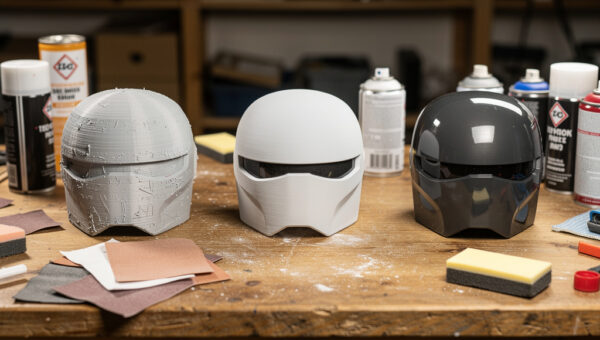
Artistic and Decorative Objects: Sculptures, vases, cosplay armor, and decorative items prioritize surface finish over mechanical strength. Dual extrusion for soluble supports, fine nozzle options (0.2mm), and materials that sand and paint well matter more than temperature capabilities. Large build volumes become valuable for costumes and props that print in fewer pieces.
Miniatures and Detailed Models: Tabletop gaming figures, jewelry prototypes, and architectural models demand precision and surface quality that FDM struggles to provide. Resin printing (MSLA/SLA) becomes the better choice despite the workflow complexity (see my best resin printers for beginners). If you insist on FDM, look for fine nozzles, direct drive extruders, and linear rail motion systems for best results.
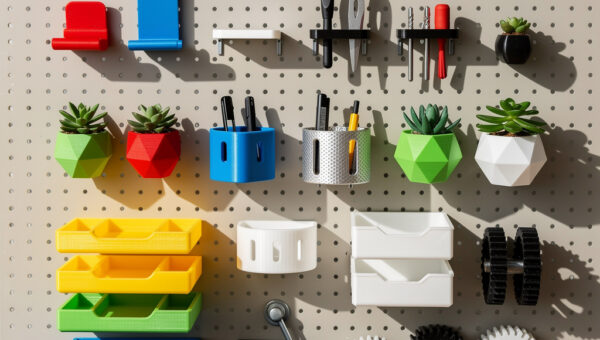
Household Repairs and Replacement Parts: Printing brackets, knobs, covers, and replacement components requires material durability and ease of use. You need reliable bed adhesion, consistent extrusion, and materials like PETG or ABS that resist heat and impact. Build volume requirements vary based on what you typically repair.
Step 2: Establish Your Build Volume Requirements
Build volume—expressed as width x depth x height in millimeters—represents the maximum dimensions of a single print. This specification drives printer size, cost, and mechanical complexity. Do not assume bigger is better; larger build volumes introduce challenges including longer heat times, increased warping risk, and exponentially longer print times for full-volume prints.
Evaluating Your Size Needs
Measure objects you currently wish you could manufacture or repair. Add 20% margin for supports, brims, and orientation optimization. A 200mm cube (common on entry-level printers) handles most household items, electronic enclosures, and medium-sized prototypes. A 250-300mm build volume accommodates larger functional prints, cosplay components, and batches of smaller parts.
Consider whether you genuinely need large single prints or simply want to batch multiple small items. Printing four 100mm parts simultaneously on a 200mm bed often proves more efficient than printing them sequentially on a larger machine. Conversely, printing large objects in multiple sections introduces assembly requirements and seam visibility that may be unacceptable for your application.
Resin printers offer significantly smaller build volumes than FDM, typically 120-200mm in XY with 150-250mm in Z. This constraint is fundamental to resin technology and acceptable only if your applications genuinely require resin’s precision advantages. When you do commit to resin, the resin types comparison guide maps standard, tough, ABS-like, and water-washable resins against the use cases where each one earns its place.
Step 3: Determine Your Material Compatibility Needs
Material requirements flow directly from your application analysis. Most beginners start with PLA, but your future needs likely extend beyond this basic material. Understanding temperature and hardware requirements prevents purchasing a printer that cannot grow with your skills.
Temperature Capability Tiers
Standard (Up to 250°C): Handles PLA, PETG, and basic ABS with proper bed adhesion. Suitable for decorative prints, basic prototypes, and household repairs using common materials. Most entry and mid-range printers fall here, often with PTFE-lined hot ends that degrade above 240°C.
Extended (250-300°C): Enables engineering materials including nylon, polycarbonate, and carbon fiber composites. Requires all-metal hot ends, heated beds capable of 100°C+, and often enclosed chambers for temperature stability. Printers in this tier cost more but eliminate the frustration of hitting material limitations.
High-Performance (300°C+): Necessary for specialized materials like PEI, PEEK, and certain metal-filled filaments. These are professional-grade machines with premium components, often exceeding beginner budgets unless you have specific industrial requirements.
The Direct Drive vs. Bowden Decision
Extruder systems feed filament into the hot end through either direct drive (motor mounted on the print head) or Bowden tubes (motor mounted on the frame with PTFE tube guiding filament). This choice significantly affects material compatibility and print quality.
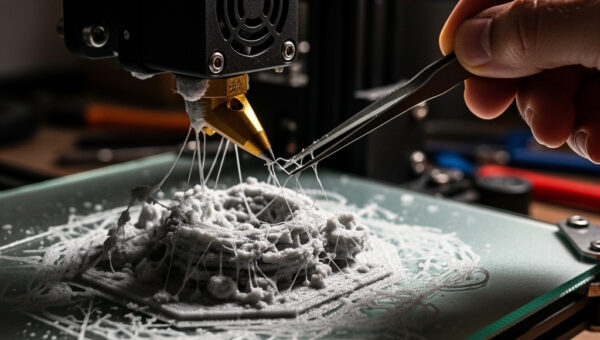
Direct drive extruders provide superior control over flexible materials (TPU, TPE) because the short filament path prevents buckling and compression. They also enable better retraction performance for detailed prints and stringing reduction. However, the added mass on the print head can reduce maximum acceleration speeds and increases wear on motion components.
Bowden systems reduce print head mass, enabling faster movement speeds and less inertia-related ringing on prints. They work excellently for rigid materials like PLA and PETG. However, printing flexible materials becomes challenging or impossible depending on tube length and extruder design. Many modern printers offer optional direct drive upgrades or come with hybrid systems.
Step 4: Assess Your Environmental Constraints
Where will you place the printer? This seemingly simple question eliminates many options and dictates necessary modifications.
Noise Considerations
3D printers generate noise from stepper motors, fans, and mechanical movement. Entry-level printers with 8-bit boards and A4988 stepper drivers produce noticeable noise that disturbs shared living spaces. If you cannot dedicate a separate room, look for printers with 32-bit silent boards (TMC2208 or TMC2209 drivers), which reduce motor noise significantly. Resin printers operate more quietly than FDM but still produce fan noise and require ventilation solutions that add sound.
Enclosure Requirements
Printing ABS, ASA, nylon, or polycarbonate requires temperature-controlled environments. Drafts cause layer separation, warping, and failed prints. If your space cannot accommodate a printer enclosure (either built-in or added separately), limit yourself to PLA and PETG which tolerate ambient conditions better. Some printers include partial enclosures; others require DIY solutions or a purchased enclosure on top — if you know you will print ABS, buying a factory-enclosed printer up front is usually the smarter money.
Ventilation and Safety
All 3D printing produces emissions, though risk levels vary by material and technology. PLA emits relatively benign compounds, while ABS releases styrene and other potentially harmful volatiles. Resin printers require fume extraction or placement in well-ventilated areas due to volatile organic compounds and odor. If you cannot provide adequate ventilation, consider whether this hobby fits your living situation or whether you need air filtration solutions.
Step 5: Establish Your Budget Reality
Budget discussions require honesty about total cost of ownership, not just the printer purchase price. A $200 printer requiring $300 in immediate upgrades to function reliably costs more than a $400 printer that works out of the box.
Total Cost Components
Printer: Entry-level FDM printers range from $180-$400. Mid-range machines with better components and larger build volumes cost $400-$800. Premium consumer printers with enclosed chambers and advanced features run $800-$2,000. Resin printers typically range from $200-$600 for consumer models.
Consumables and Materials: Budget $20-50 per kilogram for filament. Initial purchases should include multiple material types for testing. Resin costs $30-60 per liter, with significantly higher consumption rates than filament for comparable part volumes.
Upgrades and Maintenance: Most printers benefit from immediate upgrades like a better bed surface, metal extruder assemblies, or silent stepper drivers. Maintenance parts including nozzles ($10-30), build surfaces, and occasional mechanical components add ongoing costs.
Post-Processing: Resin printing requires wash stations ($100-300) and UV curing stations ($50-200). FDM benefits from cheap tools like a deburring blade and a sandpaper assortment, plus primer/paint if you finish prints aesthetically.
Affordability Tiers
Minimum Viable ($300-500 total): Entry-level printer with essential upgrades and initial material stock — my best 3D printers under $300 roundup lives in this tier. Suitable for learning fundamentals and printing basic PLA/PETG parts. Expect to troubleshoot frequently and develop mechanical skills through repairs and adjustments.
Comfortable Entry ($500-800): Mid-range printer with better components, silent operation, and larger build volume. Includes decent starter material selection and basic tools. Provides more reliable printing experience with less frustration.
Capable System ($800-1,500): Quality machine with enclosure, all-metal hot end, and direct drive. Enables engineering materials and professional-quality prototypes. Suitable for serious hobbyists or light production work.
Professional Grade ($2,000+): Premium machines with exceptional reliability, large build volumes, and advanced features like multi-material printing or automated bed leveling. For users generating income from printing or requiring maximum uptime.
Step 6: Evaluate Build Quality Indicators
Marketing specifications tell only part of the story. Understanding build quality indicators helps distinguish reliable machines from those requiring constant maintenance.
Frame and Motion Systems
Look for rigid metal frames rather than acrylic or plastic structures that flex and affect print quality. Aluminum extrusion frames should use adequate cross-bracing. Linear rails provide superior motion accuracy compared to V-slot wheels or bushings, though they cost more and require maintenance. Check whether Z-axis uses dual lead screws (better) or single screw with cantilevered beds (prone to sagging and requires frequent tramming).
Electronic Components
32-bit mainboards enable advanced features like input shaping for faster printing without artifacts, pressure advance for cleaner corners, and quieter operation. TMC2208 or TMC2209 stepper drivers operate silently compared to older A4988 drivers. Heated beds should use AC power with SSR control for faster heating rather than struggling 12V or 24V DC systems. Check whether power supplies are name-brand (Mean Well preferred) or generic units prone to early failure.
Community and Support
Established printer models with large user communities provide troubleshooting resources, upgrade paths, and spare parts availability. Obscure brands may offer attractive prices but leave you without support when problems arise. Research online forums, Reddit communities, and YouTube content to gauge community size and typical issues before purchasing.
Step 7: Navigate Red Flags and Marketing Hype
Certain claims should trigger skepticism. “Industrial quality” from sub-$500 printers is nonsense. Printing speeds over 150mm/s without input shaping produce visible artifacts on most machines. “Plug and play” promises ignore the learning curve inherent to additive manufacturing. Be wary of proprietary filament systems that lock you into expensive consumables.
Cloud-based slicing and monitoring might seem convenient but create dependencies on manufacturer servers and subscription fees. Local slicing with Cura, PrusaSlicer, or OrcaSlicer provides more control, works offline, and costs nothing. Similarly, proprietary build surfaces requiring replacement mats from the manufacturer increase long-term costs compared to standard PEI or glass options.
Making Your Final Decision
After working through this framework, you should have clear answers: your primary applications, required build volume, necessary material capabilities, environmental constraints, realistic budget, and quality expectations. Compare these requirements against current machines (my best 3D printers of 2026 roundup is organized by exactly these categories), prioritizing reliability and community support over flashy features.
Remember that no printer is perfect for every application. Compromises are inevitable. The goal is selecting a machine whose strengths align with your most important needs while weaknesses affect only projects you rarely attempt. A printer excellent for functional PLA and PETG parts but limited with high-temperature materials serves most beginners well, while one attempting everything poorly serves no one.
With your printer selected, the next step involves understanding the materials you will use. Our materials guide explains PLA, PETG, ABS, TPU, and composite options in detail—their print requirements, mechanical properties, and ideal applications—enabling you to select appropriate materials for each project rather than defaulting to basic PLA for everything.
After Choosing Your Printer
Once you have selected your 3D printer, the next step is understanding printing materials. Learn the differences between PLA, PETG, ABS, TPU, and specialty filaments to make informed material choices for your projects.