Most “3D printing projects” lists are figurines and desk toys. That’s not what my printer is for. On my bench the Prusa MK4S earns its keep printing functional parts — the bracket, the bin, the adapter, the replacement clip that would otherwise mean buying a whole new thing. Almost every other hobby in my workshop has a part that came off this bed, which is exactly the functional-first way I think about the machine.
So here are 15 projects I’ve actually printed and use — not vague categories — each with the material I’d run it in, the settings that matter, and why it solves a real problem. The rule that ties them together: print so the load runs across your perimeters, not along the layer lines, and on functional parts wall count beats infill every time. Three or four perimeters at 20–30% infill is stronger than thin walls packed solid.
As an Amazon Associate I earn from qualifying purchases. The filament and tools I link are what I actually keep on the bench; the links go to current listings so you can check price and specs yourself.
Pick the right material first
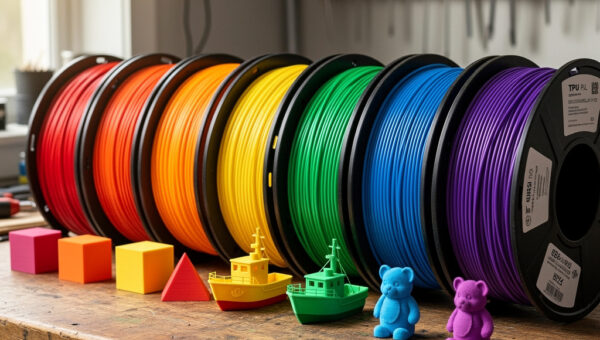
Half of a functional print’s success is choosing the filament before you slice. Get this wrong and the best settings in the world won’t save the part. The quick version of what’s on my shelf — the full breakdown lives in my filament guide and materials guide:
| Material | Nozzle / bed | Use it for | Avoid for |
|---|---|---|---|
| PLA | ~205°C / 60°C | Indoor organizers, jigs, stands — stiff and easy | Anything hot, in a car, or outdoors long-term |
| PETG | ~240°C / 80°C | Moisture, mild heat, mechanical parts, outdoor-ish | Fine detail; needs retraction dialed in |
| ASA / ABS | ~250°C / 95°C (enclosed) | Outdoor, UV, car interior, real heat | Open-frame printers / no ventilation |
| TPU 95A | ~230°C / 50°C, slow | Gaskets, feet, bumpers, strain relief | Rigid structural parts |
Two filament notes that save reprints: PETG strings if your retraction isn’t dialed (my PETG stringing fix covers it), and anything hygroscopic — PETG, TPU, nylon — prints badly straight off a damp spool, so dry it first. Stock a roll each of PLA and PETG and you can print most of this list today.
Workshop organization (where a printer pays for itself fastest)
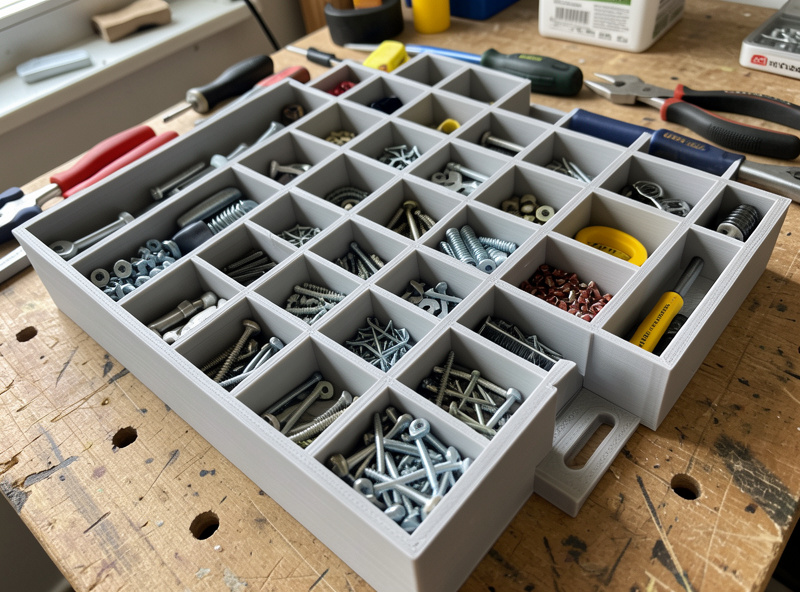
1. A Gridfinity bench system
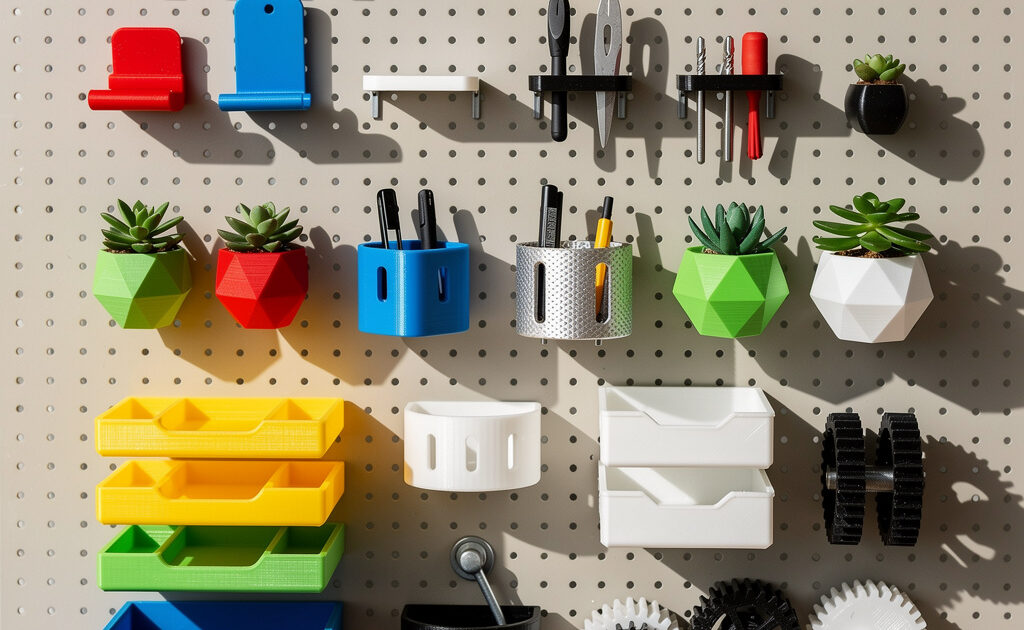
If you print nothing else functional, print this. Gridfinity is a modular 42 mm-grid bin system — print baseplates, then bottomless or magnetized bins to fit every drawer and shelf. PLA, 0.2 mm layers, 3 walls, 15% infill. I run my whole parts bench on it; once you start you keep finding things to bin. It’s the single highest-ROI thing my printer has ever made, and a perfect first functional project because it forgives mistakes.
2. French-cleat tool holders
Print custom holders for pliers, drivers, calipers, your soldering iron — whatever — that clip onto a wall-mounted French cleat. PLA+ or PETG, 4 walls so the hook doesn’t snap under weight. Model the cleat angle once and reuse it; every new tool gets a bespoke holder in an hour. This is the project that quietly takes over a whole wall.
3. Drill-bit and hardware organizers
A stepped block sized to your exact bit set beats the rattling case it came in. PLA, low infill. Same idea for screw and hardware sorting — print labeled trays that actually fit the drawer instead of buying generic ones that don’t. Cheap, fast, and immediately useful.
Around the house and real repairs
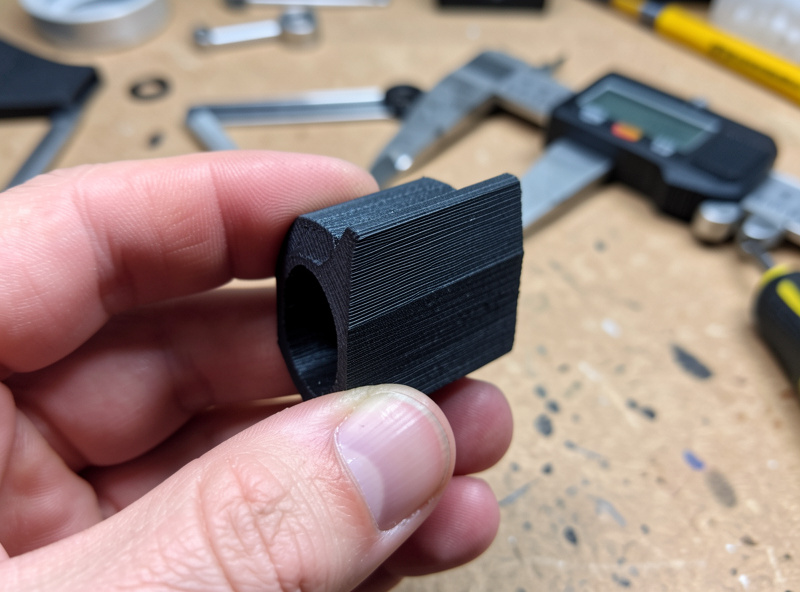
4. Replacement parts for things that broke
The appliance knob, the fridge shelf clip, the vacuum attachment tab, the curtain bracket. Measure the broken part with digital calipers, model it, print it. Use PETG or ASA if it sees any heat or load (dishwasher, oven-adjacent, anything in a car). This is the project that genuinely saves money — a $0.30 print instead of a $40 part or a whole new appliance. It’s also the one that makes non-printers understand why you own the machine.
5. Cable management raceways and clips
Under-desk cable channels, adhesive cable clips, monitor-arm cable guides. PETG so the adhesive heat and tension don’t creep over time. A handful of these turns a rat’s nest into something you’ll actually maintain.
6. Adjustable phone and tablet stands
A print-in-place hinged stand or an angled dock sized to your device with the case on. PLA indoors. If you’ve never done a moving part that comes off the bed assembled, this is the gateway — my print-in-place guide walks the clearances. Tiny project, used daily.
7. Drawer dividers and desk organizers
Custom dividers cut to your exact drawer, pen and tool trays, a charging valet. PLA, fast and cheap. The advantage over store-bought is the same every time: it fits your space exactly, to the millimeter.
Shop, tools and the garage
8. Custom dust-collection and vacuum adapters
Nobody’s hose fits anybody’s tool port. Model a stepped adapter between the two diameters and print it in PETG. This one genuinely improves a workshop — proper dust extraction on the saw, the sander, the CNC. I print these constantly as tools come and go.
9. Jigs and fixtures
Drilling guides, sanding blocks, glue-up clamps, a centering jig for the drill press. PLA or PETG depending on abuse. A printed jig that makes a repetitive task repeatable is exactly the “tool that makes tools” loop a printer is best at — the payoff compounds every time you reuse it.
10. Funnels, scoops and pour spouts
A funnel sized to a specific bottle, a scoop for resin, pellets or feed, a no-drip spout for a tin. PETG if it touches solvents or sits outside. Trivial to model, weirdly useful, and the kind of thing you’ll print three of in an afternoon.
TPU, smart-home and outdoors
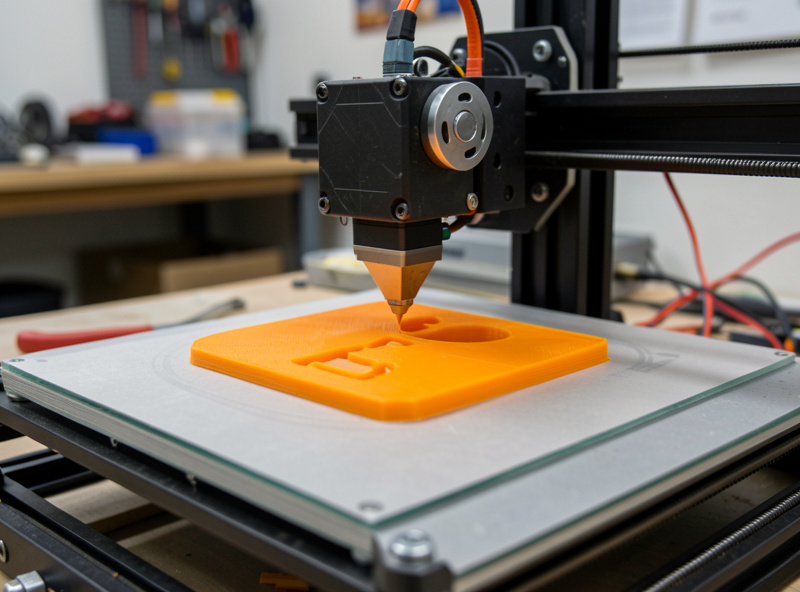
11. TPU gaskets, feet and bumpers
The under-used material. Print replacement feet for tools and furniture, anti-vibration pads, cable strain reliefs, soft jaw covers for a vise. TPU 95A, printed slow (~25 mm/s) — a direct-drive extruder makes this painless, and the TPU settings guide covers the retraction and speed tweaks. Flexible parts are a whole category most people never touch.
12. Sensor and smart-home device mounts
Brackets for an ESP32 sensor, a camera, an mmWave presence module, a tablet wall dock. PETG so a sun-facing window mount doesn’t sag. These are the parts that make a DIY smart-home install look intentional instead of taped-on — the same printer that does my hydro lids does these.
13. Outdoor and garden parts
Self-watering planter inserts, nursery pots, hose guides, a rain-gauge mount, plant-label stakes. ASA or PETG — PLA will sag and go brittle in sun within a season, which is the mistake everyone makes once. The ASA vs ABS outdoor breakdown covers why; print it in the right material and it lives outside for years. (ASA filament needs an enclosure.)
14. Vent and appliance adapters that see heat
Dryer-vent adapters, AC-unit brackets, ducting transitions. ASA in an enclosure — this is exactly the heat-and-UV job PLA fails at. Measure twice; these are the prints where a millimeter of fit matters and a reprint costs you an evening.
15. Battery and tool-pack organizers
Holders for 18650 cells, drill-battery wall mounts, a charging station sized to your exact packs. PLA indoors, PETG in a garage that gets warm. Keeps expensive batteries off the bench and findable — and looks far better than the cardboard box they were living in.
The settings that make functional prints actually strong
Material gets you halfway; orientation and walls get you the rest. The four things that decide whether a functional part survives:
- Orientation is everything. A part is weakest along its layer lines. Orient so the main load pulls across layers, not along the seam between them — a hook printed lying down will snap; the same hook printed so the pull runs through the perimeters holds.
- Walls over infill. For load-bearing parts I run 3–4 perimeters and 20–30% infill. Wall count carries force far better than cranking infill density; thin walls with solid infill is the classic weak combination.
- Top and bottom layers. 4–5 solid layers top and bottom stops parts flexing open at the faces. It’s the cheap fix people skip.
- Heat and UV. The right geometry in PLA still fails outdoors or near heat. Match the material to the environment first, then optimize the print.
One more that catches people out: layer adhesion. Functional strength lives in how well each layer fuses to the one below, so for load-bearing parts I nudge the nozzle temperature up a few degrees and ease off the part-cooling fan — the opposite of what you’d do for crisp PLA detail. A part printed cool and fast looks great and snaps along a layer line; the same part printed a touch hotter with less cooling holds. It’s a deliberate trade of surface finish for strength, and on a bracket nobody sees, finish doesn’t matter.
Dial those four — five, with adhesion — in and the failure rate on functional parts drops to almost nothing. For higher-stress jobs, a carbon-fiber-reinforced filament adds stiffness — useful for fixtures and brackets that need to stay dimensionally honest under load.
Design it or download it?
Plenty of these exist as free downloads — Gridfinity especially has a deep library — and there’s no shame in printing a proven model. But the parts that change how you work are the ones measured to your stuff: your drawer, your tool port, your broken bracket. A cheap pair of digital calipers and a weekend learning basic parametric CAD (Fusion, or the genuinely simple route, a few primitives in TinkerCAD) unlocks the half of this list that no download can give you. That’s the jump from “I print things” to “I solve problems,” and it’s the single skill that doubles what your printer is worth. If you’re earlier on the curve, my beginner’s guide is the place to start.
None of these is a novelty. Every one is a part that earns its place on a shelf, on a wall, or inside something that broke — which is the only reason a printer is worth owning in the first place.
Frequently asked questions
What’s the most useful thing to 3D print first?
A Gridfinity bench system. It’s the highest-ROI functional print there is — modular 42 mm bins and baseplates that organize every drawer and shelf, in plain PLA. Once it’s on your bench you keep finding parts to bin, and it teaches good functional-print habits in the process.
What material should I use for functional parts?
PLA for indoor organizers and jigs (stiff, easy). PETG for moisture, mild heat, mechanical and semi-outdoor parts. ASA or ABS for anything in the sun, a car, or real heat. TPU 95A for gaskets, feet and bumpers. Matching material to job is half the battle — PLA outdoors or in heat is the classic failure.
Do I need to design my own models or can I download them?
Both work. Free libraries cover Gridfinity, common adapters and organizers. But the parts that matter most — replacements for things that broke, adapters for your exact tools — need a quick measure with calipers and basic CAD. Learning simple parametric modeling roughly doubles what your printer is good for.
Why do my functional prints keep breaking?
Usually layer-line orientation or too few walls. Print so the load runs across your perimeters, not along the layer boundaries, and use 3 to 4 walls with 20 to 30 percent infill rather than thin walls and high infill. Wall count carries load far better than infill on most functional parts.
Can I print replacement parts for appliances?
Yes — it’s one of the best reasons to own a printer. Measure the broken part with calipers, model it, and print in PETG or ASA if it sees heat or load. A cheap print routinely replaces a costly part or saves a whole appliance, as long as you pick a material that survives the part’s environment.