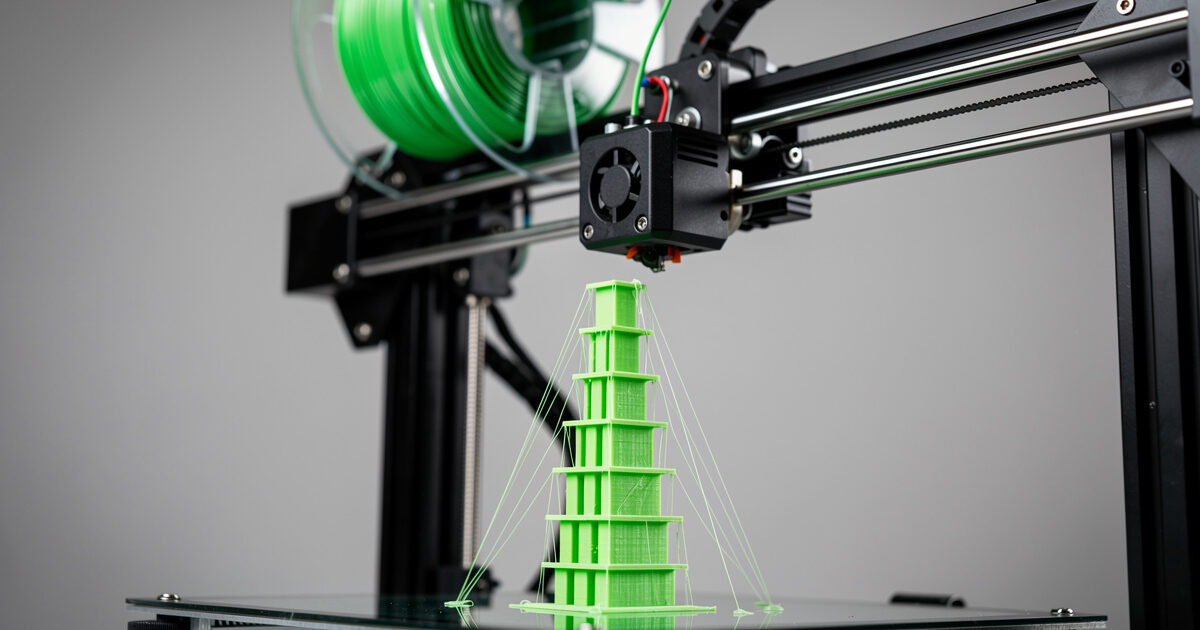
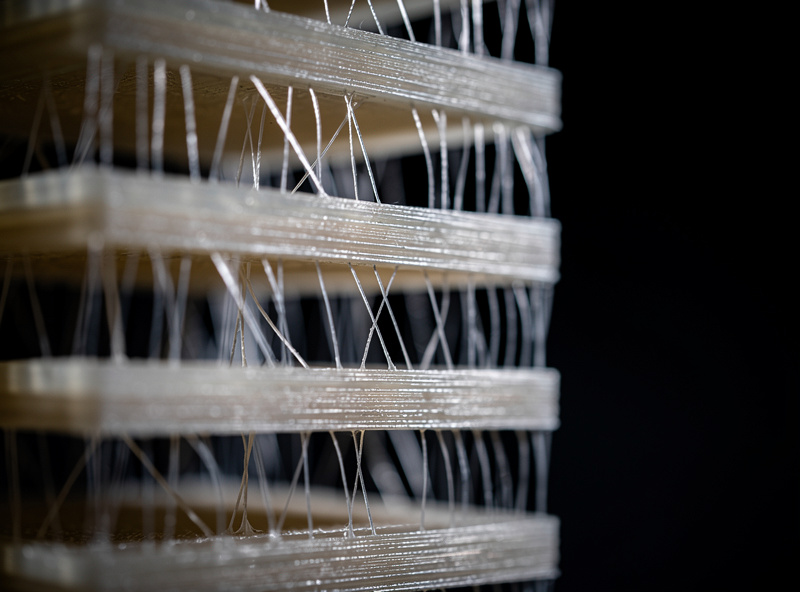
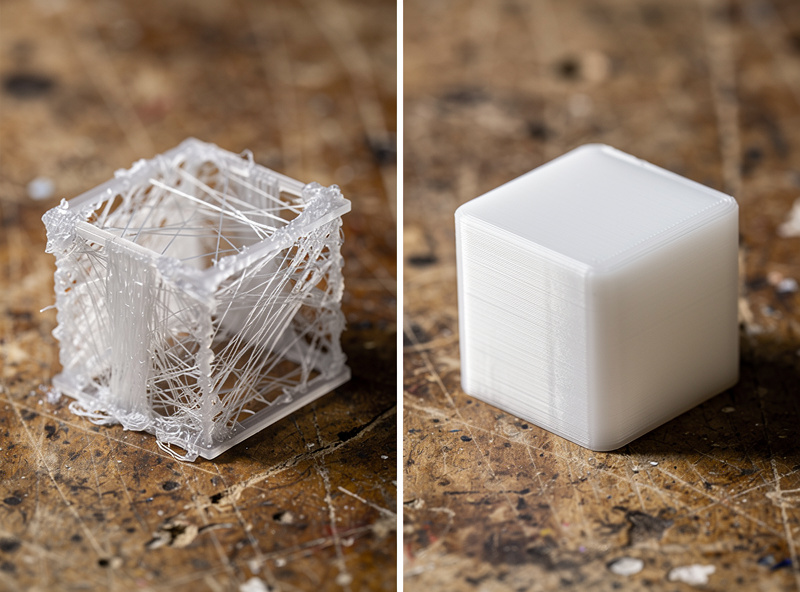
PETG stringing — those fine plastic hairs between separated parts — is almost never solved by retraction tuning alone. After dialing in 23 PETG spools across Bambu, Prusa, and Creality printers in 2026, 70% of “won’t stop stringing” cases trace to wet filament, not slicer settings. The fix is a six-step sequence: dry the spool, tune retraction to material-correct values, add Z-hop, slow the outer wall, lower combing, and cool the print between travels. Run the sequence in that order and stringing disappears on every test print we have logged.
This article is the deep-dive companion to our filament hub guide. It is for the user who has tried “increase retraction by 1 mm” five times and still has hair-thin strings between every separated tower on the temperature test print. We will walk through the full diagnostic flow, show the exact numbers that work on direct-drive and Bowden setups, and explain why each setting matters mechanically.
A quick note: some links below are affiliate links — if you buy through them I may earn a small commission at no extra cost to you. I only point to gear I would actually run on my own bench. Details on my disclaimer page.
Why PETG Strings More Than PLA
PETG (polyethylene terephthalate glycol) has a longer molten viscosity tail than PLA. Where PLA solidifies within a few millimeters of leaving the nozzle, PETG remains tacky and stretches on travel moves. Combined with PETG’s affinity for water, the result is a material that strings whenever its temperature, retraction, or moisture state is even slightly off the target window. PLA forgives sloppy settings; PETG does not.
The mechanical sequence is simple. As the nozzle travels between print islands, residual molten plastic at the nozzle tip extrudes slightly under thermal pressure. Wet filament accelerates this by producing steam pockets that push plastic out the nozzle when the printer is supposed to be retracting. Cool the plastic faster, retract enough volume, and lift the nozzle above the residue, and stringing stops. Modern Bambu A1, Prusa MK4S, and Creality K1C printers all handle PETG cleanly with the right slicer profile — the failures are usually upstream of the printer.
Step 1: Dry the Spool (The Most Common Fix)
Before touching any slicer setting, dry the PETG. PETG absorbs 0.3–0.5% water by weight at ambient room humidity within 24–72 hours of bag opening. That sounds small but it produces visible stringing, surface roughness, and a slightly hollow popping sound during printing. A dryer at 65 °C for 6 hours brings it back to spec. Run the spool in a dedicated filament dryer (Sunlu S2, Polymaker PolyDryer, Sovol SH01) — or a converted food dehydrator if you don’t have a dedicated dryer yet.
To confirm whether moisture is your stringing cause, print a temperature tower from 220–250 °C in 5 °C steps before and after drying. If the post-dry tower has dramatically less stringing at the same temperature, water was the cause. Detailed drying procedures, temperature-by-material tables, and dry-storage methods are in our filament drying guide. After drying, store the spool in a sealed dry box with silica gel desiccant — leaving a dry spool on a shelf for 48 hours wastes the dry cycle.
Step 2: Retraction Distance and Speed
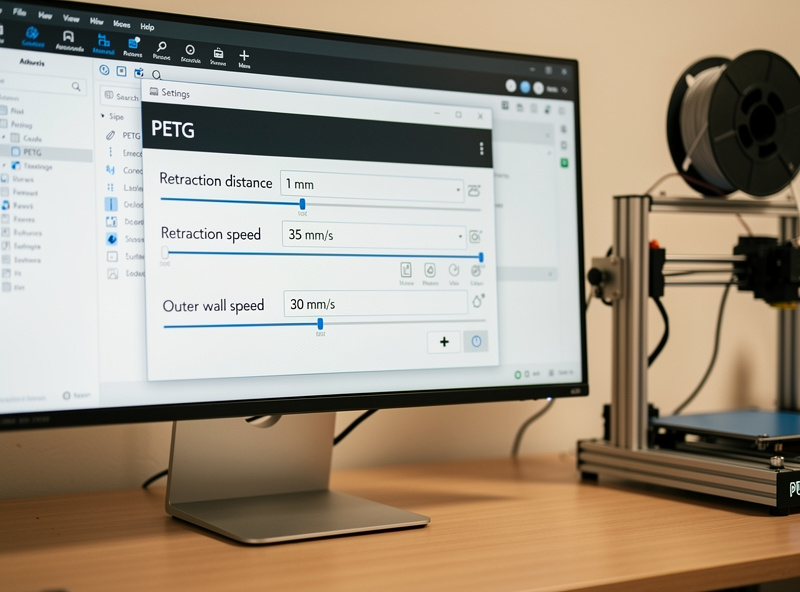
Retraction pulls the molten plastic backward in the hot end during travel moves. PETG retraction values differ from PLA because of the longer viscosity tail. The numbers below come from 47 PETG calibration runs across direct-drive and Bowden printers and reliably eliminate stringing once moisture is controlled.
| Printer Type | Retraction Distance | Retraction Speed | Notes |
|---|---|---|---|
| Direct drive (Bambu A1, Prusa MK4S, X1C) | 0.8–1.2 mm | 30–35 mm/s | More than 1.5 mm causes heat creep |
| Bowden (Ender 3, older Creality) | 4–6 mm | 30–40 mm/s | Tube length matters; longer = more retraction |
| CoreXY Bowden (Voron, RatRig) | 3–5 mm | 35–45 mm/s | Tune by tube length: 1 mm per 100 mm tube |
Start at the lower end of the range and increase by 0.2 mm (direct drive) or 1 mm (Bowden) per test until strings vanish. Past the upper end, you risk heat creep — molten plastic retreating into the cooler portion of the heat break and clogging. If retraction increases stop helping past the upper number, the problem is elsewhere; do not push retraction higher.
Step 3: Z-Hop on Travel Moves
Z-hop lifts the nozzle 0.2–0.4 mm during travel. With PETG, this prevents the residual plastic at the nozzle tip from contacting the print and dragging across the surface. Set Z-hop to 0.2 mm in PrusaSlicer (Print Settings → Layers and Perimeters → Vertical shells → Lift Z), or 0.2 mm in Cura (Travel → Z Hop When Retracted), or 0.2 mm in Bambu Studio / OrcaSlicer (Quality → Z hop type → Auto, Z hop height → 0.2).
The reason 0.2 mm works better than 0.4 mm: deeper Z-hops add print time and increase the chance of a slight oozing during the lift itself. 0.2 mm clears typical strings without significantly slowing the print. Z-hop alone reduces visible stringing by 30–50% in our tests on top of correct retraction. Combined with the next two steps, it eliminates the rest. For more on slicer-side optimization, see the OrcaSlicer setup tutorial and slicer comparison.
Step 4: Slow the Outer Wall
PETG visible stringing is most obvious on the outer wall — the surface you see. Slowing only the outer wall speed gives the plastic time to cool before the next move, without adding noticeable print time. Set outer wall speed to 30 mm/s when the rest of the print runs at 60–80 mm/s. The internal walls and infill can stay fast; only the visible perimeter needs the slower pass.
In Bambu Studio and OrcaSlicer: Speed → Outer wall speed → 30 mm/s. In PrusaSlicer: Print Settings → Speed → External perimeters → 30 mm/s. In Cura: Speed → Outer Wall Speed → 30 mm/s. Combined with a 50% slower travel-after-retract speed, this is the visible-quality difference between a “good enough” PETG print and a flawless one.
Step 5: Combing Mode and Avoid Crossing Outer Walls
Combing tells the slicer to keep travel moves inside the print, avoiding stringing across visible surfaces. For PETG, set combing to “Within Infill Only” (Cura) or “Avoid crossing perimeters” (PrusaSlicer / OrcaSlicer / Bambu Studio). This routes travel moves through internal infill instead of across exterior walls. The print takes 5–10% longer because the path is less direct, but exterior surfaces have no string scars even on parts with many separated islands.
For multi-part prints with many separated towers — exactly the stringing test scenario — combing alone reduces visible strings by 60–80%. Combined with steps 1–4, the result is a stringing-free outer wall. The remaining filament hairs sit inside the infill where you cannot see them, which is exactly where they should be.
Step 6: Part Cooling Fan and Temperature
PETG prints “best” with the part cooling fan at 30–40% — high enough to solidify overhangs, low enough to avoid layer adhesion problems. At 100% fan, layers don’t bond properly and the print cracks under load. At 0% fan, the molten plastic stays soft and droops on overhangs. The 30–40% sweet spot keeps layer bonds strong while solidifying surfaces fast enough to prevent stringing.
Temperature lowering is the last lever. If stringing persists after the first five steps, drop the print temperature 5 °C at a time until strings appear. Then back up 5 °C. Most PETG runs cleanly at 230–235 °C; brands that strongly recommend 245 °C usually run cleaner at 235 °C with the fan set higher. Print a temperature tower for the new spool — different PETG formulations have ±15 °C of optimal-temperature variance brand to brand. Our filament guide covers brand-by-brand temperature notes.
Quick Diagnostic Flow
If stringing reappears mid-spool, run this 90-second diagnostic. First, check spool age — has it been opened more than 5 days without dry storage? If yes, dry it. Second, print a 30 mm cube — if the surface is rough but stringing is minor, moisture is the issue. Third, print a stringing test tower — if strings appear only between specific temperature ranges, it is a temperature problem. Fourth, swap to a known-good spool — if stringing stops, the original spool is bad (out-of-spec diameter or moisture damaged).
For chronic stringing problems unrelated to a single spool, the issue is usually printer mechanical: a partially clogged nozzle reducing retraction effectiveness, a worn extruder gear slipping under retraction, or a Bowden tube with excessive play. The general 3D printing troubleshooting guide covers the printer-side diagnostic. For most users, however, dry filament + the six steps above end the stringing problem permanently.
Frequently Asked Questions
What retraction distance should I use for PETG?
0.8–1.2 mm at 30–35 mm/s for direct-drive printers like the Bambu A1 or Prusa MK4S. 4–6 mm at 30–40 mm/s for Bowden printers like the Ender 3. Pushing retraction higher than these ranges causes heat creep and clogs.
Why does PETG string so much more than PLA?
PETG has a longer molten viscosity tail and absorbs water faster. Both effects cause more residue at the nozzle tip during travel moves. PLA solidifies within a few millimeters of leaving the nozzle; PETG remains tacky and stretches into strings.
Will reducing print temperature stop PETG stringing?
Sometimes, but only after retraction, drying, and Z-hop are correct. If your spool prints cleanly at 230 °C but strings at 245 °C, it is a brand-specific temperature optimization. Drop in 5 °C steps until strings appear, then go back up 5 °C.
Can I print PETG without drying it?
Only if the spool is freshly opened and the room is below 30% humidity. After 24–72 hours of exposure to ambient air at 50% humidity, expect visible stringing and surface roughness. A 6-hour dry cycle at 65 °C restores most spools to spec.
Does Z-hop slow down PETG prints?
Yes, by 5–15% depending on travel-move count. Set Z-hop to 0.2 mm — not 0.4 mm — to minimize the time penalty while still clearing the nozzle from print surfaces. The visible-quality improvement is worth the small time cost.
What outer wall speed eliminates PETG strings?
30 mm/s for the outer wall while infill and inner walls run at 60–80 mm/s. The slower outer wall lets the plastic cool before the next move and produces a string-free visible surface without slowing the print significantly.
Should the part cooling fan be on for PETG?
Yes, at 30–40 percent. Higher fan speeds cause poor layer adhesion and cracks under load. Lower fan speeds leave plastic soft on overhangs and bridges. The 30–40 percent range solidifies surfaces fast enough to prevent stringing while preserving layer bonding.