A 3D printer is not an appliance you walk away from like a microwave. Running FDM and resin machines safely comes down to three controlled hazards: the fumes and ultrafine particles they emit, the 250 C heater block that can fail, and the fire risk of an unattended print. Get those three right and everything else is housekeeping.
I run a stable of machines side by side on my bench in Sweden — a Prusa MK4S as the daily driver, plus a Bambu A1 and P1S, a Creality K1C, and an Anycubic Kobra 3 — and they have printed thousands of functional parts: hydroponic reservoir lids, sensor mounts, welder shop fixtures, leather edge slickers. Over those hours I have had a heater cartridge work loose, watched a spool of cheap PETG cook into a smell I did not like, and learned exactly which corners are safe to cut and which are not. This guide is the safety system I actually run, not a spec-sheet checklist.
The three real hazards, ranked by how often they bite
Most 3D printing accidents trace back to one of three things: air quality (chronic, invisible, the one people ignore), thermal failure (rare but how most fires start), and fire itself (the worst case). Air quality is the daily exposure; fire is the catastrophic tail. You manage all three at once or you are not managing any of them.
The mistake I see in every beginner workshop is treating safety as a single purchase — buy an enclosure, call it done. An enclosure helps with ABS warping and contains a small flame, but it also concentrates fumes and traps heat around the very electronics most likely to fail. Each hazard needs its own control, and some controls fight each other. That tension is the whole game.
| Hazard | What causes it | Primary control | How often it actually matters |
|---|---|---|---|
| VOCs and ultrafine particles | Hot plastic off-gassing (styrene, lactide, particles under 100 nm) | Ventilation + filtration | Every single print |
| Resin vapor and skin contact | Uncured photopolymer monomers | Respirator, gloves, exhaust | Every resin print and wash |
| Thermal runaway | Loose thermistor, failed heater FET, firmware with no protection | Firmware thermal protection + good wiring | Rare, but starts most fires |
| Fire / ignition | Overheat, electrical fault, jammed extruder during long unattended runs | Smoke alarm, extinguisher, monitoring | Rare — catastrophic when it happens |
| Mechanical pinch / burn | Moving gantry, 250 C nozzle, heated bed | Common sense, no loose sleeves | Minor, frequent |
The columns that matter are the last two. People buy a fire extinguisher (the rare hazard) and never address ventilation (the every-print hazard) because smoke is dramatic and a faint plastic smell is not. Flip that instinct. The air is what you breathe for hundreds of hours a year.
Air quality: what FDM and resin actually put into your room
Every FDM machine emits two things when it melts plastic: volatile organic compounds (VOCs) and ultrafine particles (UFPs) smaller than 100 nanometers — small enough to pass deep into the lungs. This is settled research, not a scare. The emission-rate studies from the Illinois Institute of Technology (Stephens and Azimi) and the ongoing work at UL’s Chemical Insights Institute measured it across dozens of printer-and-filament combinations.
The headline finding that should change your behaviour: material matters far more than machine. PLA, printed cool, is among the lowest emitters; ABS prints hotter and can release ultrafine particles at rates an order of magnitude higher, along with styrene, a VOC the research community treats as a suspected carcinogen. That single fact is why I print ABS and ASA only in an enclosure with a ducted exhaust, and PLA in an open room with a window cracked. I break the full breakdown out in the VOC and particle emissions guide, because it is the part of this topic people most often get wrong.
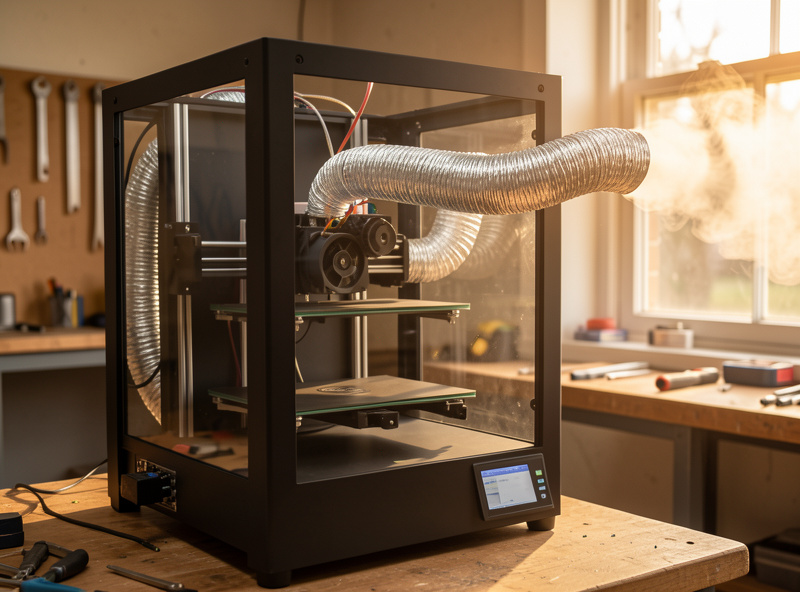
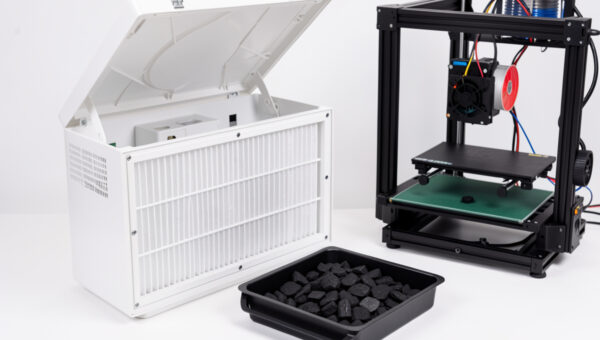
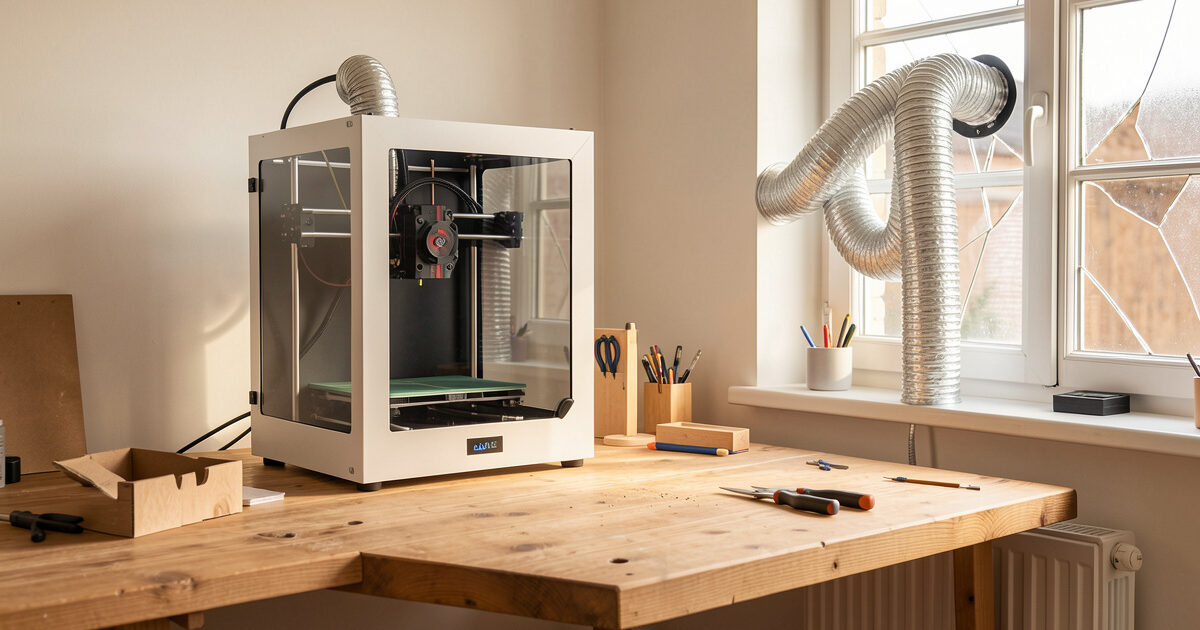
You manage printer air quality with two tools that work together: capture (an enclosure that contains the emissions near the source) and removal or filtration (either ducting that air outside, or a HEPA-plus-activated-carbon filter that scrubs particles and adsorbs VOCs). A HEPA filter alone catches the particles but does nothing for the gas-phase styrene; carbon alone adsorbs VOCs but lets particles through. You need both media, which is exactly why I cover the HEPA and carbon filter setup as its own subject. For a whole-room approach — the right call for a busy print farm corner or a shared workshop — see the room ventilation guide.
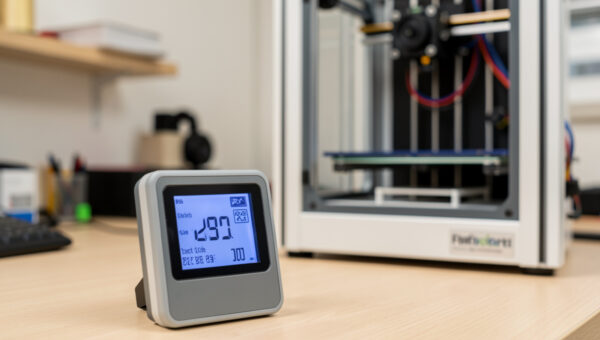
If you want to actually see your exposure rather than guess at it, a small consumer air quality monitor that reads PM2.5 and VOC sitting next to the printer is the single most eye-opening twenty-dollar purchase in this hobby. Watching the PM2.5 number climb the moment an ABS print starts — and seeing it stay flat for PLA — turns an abstract debate into a measurement. As an Amazon Associate I earn from qualifying purchases.
Resin is a different process with different rules
I am FDM-first, and I am honest about that. Resin (MSLA) printing is a wet chemical process, not a melt process, and the hazards do not transfer. Where FDM gives you particles and trace VOCs, resin gives you liquid photopolymer monomers that are skin sensitisers and respiratory irritants, plus isopropyl alcohol for washing. The resin community is near-unanimous on the protocol: nitrile gloves every time, a respirator rated for organic vapor, dedicated ventilation, and no bare-skin contact with uncured resin or wash alcohol.
Because the failure modes are genuinely different, I keep resin safety in its own lane. The resin fume safety guide covers respirator selection and vapor control specifically, and the broader resin safety, PPE and disposal guide covers gloves, washing, and getting rid of resin legally. If you are choosing between the two processes, the air-quality and PPE burden of resin is a real factor that the print-quality comparisons skip.
Enclosures: solve warping and noise, but do not create new problems
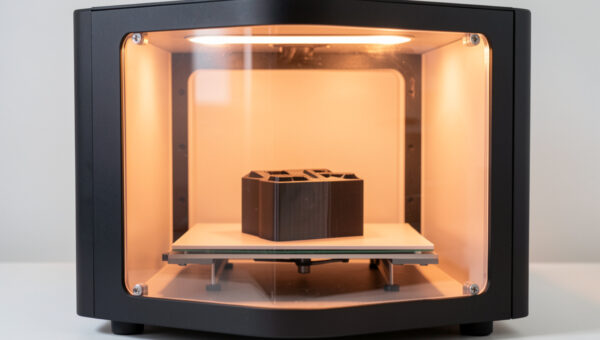
An enclosure does three good things and one bad thing. The good: it holds a stable chamber temperature so ABS and ASA stop warping and cracking, it knocks down noise, and it contains the first few seconds of any flame. The bad: it traps heat around your stepper drivers, power supply, and control board — the components whose failure causes thermal events — and it concentrates fumes you then have to actively remove.
So an enclosure is not a fire-safety device on its own; it is a temperature-control device that you must pair with ventilation and electronics that can tolerate the heat. I run my ABS and ASA work in a self-built enclosure with the control electronics mounted outside the heated volume and a ducted exhaust pulling air through it. The full reasoning — chamber temps per material, why you vent an enclosure rather than seal it, and where the electronics belong — is in the enclosure guide for ABS and ASA. If you want to build one, my DIY enclosure build walks the construction, and the best enclosed printer roundup covers the buy-it-built route.
Thermal runaway: the failure that starts the fires
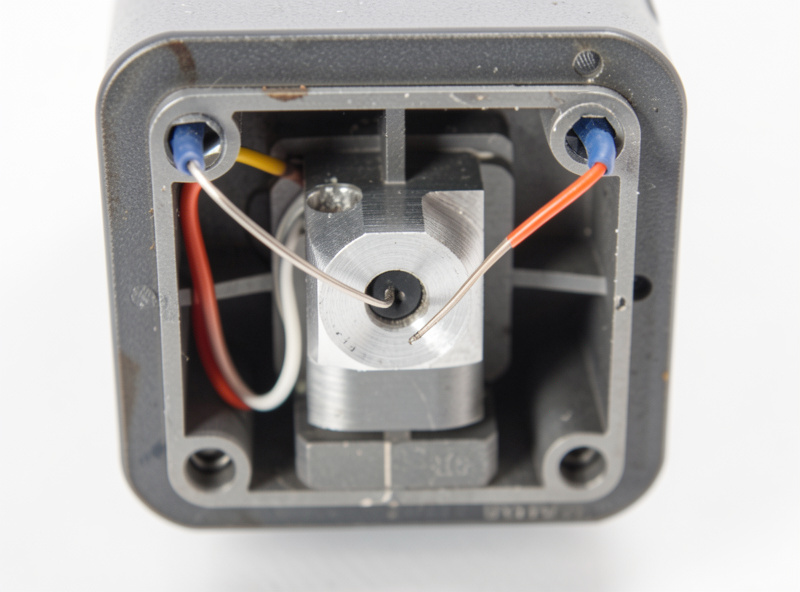
Thermal runaway is the specific failure where the printer’s temperature control loses track of reality — usually a thermistor falls out of the heater block — so the firmware reads a cold sensor, commands full heater power forever, and the block climbs past 300, 400, 500 C until something melts or ignites. It is the single most dangerous fault mode an FDM printer has, and modern firmware specifically guards against it.
Every printer worth running has thermal runaway protection enabled in firmware: if the measured temperature does not rise the way the heater command says it should, the printer shuts the heaters down and faults out. Marlin ships it on by default now; Klipper enforces it through verify_heater checks. The danger zone is old or self-flashed firmware where someone disabled it to stop nuisance errors. I verify it is active on every machine I commission, and I explain exactly how to confirm yours is on — and the wiring habits that stop the fault in the first place — in the thermal runaway protection guide. If you are weighing firmware, the Klipper vs Marlin comparison covers how each handles heater safety.
Fire safety: plan for the print that fails at 3 a.m.
The honest reason fire safety matters is that the whole appeal of 3D printing is unattended runs — you start an eight-hour print and go to bed. That convenience is also the risk. A jammed extruder grinding against a stalled motor, a connector arcing under load, or a thermal runaway on unprotected firmware can all ignite while you sleep.
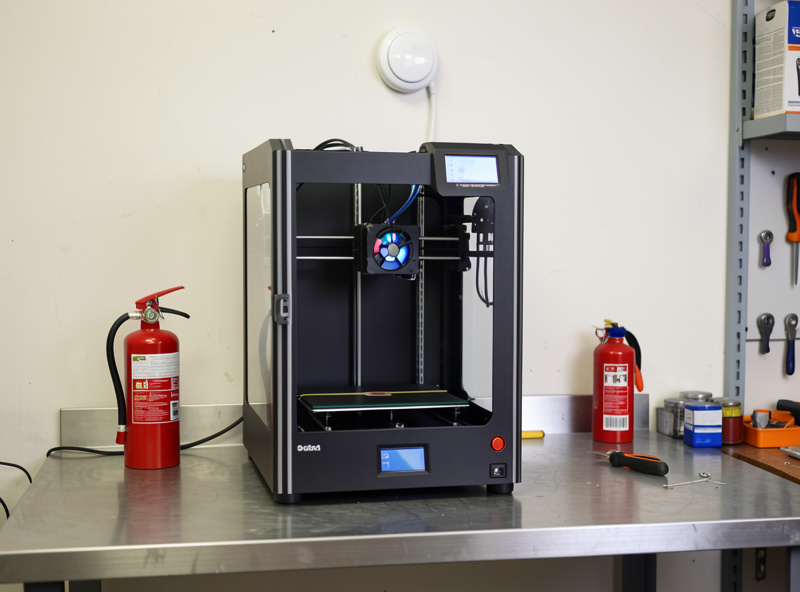
The layered answer is cheap and worth every krona: a photoelectric smoke alarm directly above the printer, a Class C (electrical-rated) extinguisher within reach, a fire blanket, and ideally the printer on a non-combustible surface away from anything that burns. I also keep my long unattended prints on a smart plug I can kill from my phone and a camera pointed at the bed. The complete layered plan — detection, suppression, placement, and the monitoring setup — is in the fire safety guide. None of it is exotic; NFPA guidance on electrical fire response (never water on an energised electrical fire) applies directly here.
The safe-workshop layout I actually run
Putting it together, here is the order of operations I use when I set up a machine, because the sequence matters as much as the parts. First, confirm thermal runaway protection is live in firmware — that is free and it is the foundation. Second, decide the material policy: PLA and PETG can run in the open room with passive ventilation; ABS, ASA, and anything that smells go in the enclosure with active exhaust. Third, add the air control that matches that policy — duct outside if you can, HEPA-plus-carbon if you cannot. Fourth, layer the fire defences: alarm above, extinguisher beside, non-combustible surface under. Fifth, set up monitoring for the unattended runs.
This is the same logic behind my whole workshop setup, where the printer shares space with a welder, a CNC, and a laser. The printer is the connective tissue of that bench — almost every other tool has a part that came off this bed — so getting its safety right protects the whole room. If your printing is mostly functional parts in engineering materials like the carbon-fiber blends or ASA for outdoor use, you are running hotter materials more often, which moves air quality up your priority list. Keep the machine itself healthy with a regular maintenance routine — a clean, well-wired printer is a safer printer.
Filaments ranked by how much air control they demand
The single most useful safety habit is matching your air control to the material, because the spread between filaments is enormous. PLA at one end is a low emitter you can run beside an open window; ABS and nylon at the other end demand an enclosure and active exhaust. Here is how I sort the shelf, from least to most demanding, based on what I run and what the emission research reports.
PLA is the gentle one. It prints around 200 C, emits low particle counts, and its main VOC is lactide, which the research treats as low-hazard. A cracked window or a small desk filter is plenty. PETG is close behind — my other default for functional parts — printing a little hotter with modest emissions; ventilation is welcome but not critical. TPU sits near PETG: low odour, low particle output, no special handling beyond decent airflow.
Then the gap opens. ABS and ASA print at 240–260 C, warp without a warm chamber, and release styrene plus high ultrafine-particle counts. These are enclosure-and-exhaust materials, full stop — and ASA is the one I reach for on outdoor parts because it shrugs off UV, as I cover in the ASA vs ABS outdoor test. Polycarbonate and nylon (PA) print hotter still and nylon in particular off-gasses noticeably; treat them like ABS for air handling. Carbon-fiber-filled blends (PA-CF, PETG-CF) add an abrasion and dust consideration on top — the chopped fibre is hard on hotends and you do not want to be sanding raw CF parts without a mask. The filament guide covers the printing side of each.
One material-driven hazard people forget: acetone, used to vapor-smooth ABS and ASA. It is highly flammable and the vapor is heavier than air, so it pools. I only smooth in a ventilated space well away from any ignition source — the full method, done safely, is in the acetone smoothing guide.
How to measure your own air, instead of guessing
Safety arguments online go in circles because almost nobody measures. I stopped guessing the day I put a cheap monitor next to the bench. The two numbers worth watching are PM2.5 (fine particulate, a decent proxy for the ultrafine particles you cannot see) and total VOC. A consumer monitor will not give you laboratory-grade microgram accuracy, but it shows you the relative change — and that is what you act on.
What you learn is concrete: start a PLA print in a ventilated room and the PM2.5 needle barely twitches. Start an ABS print in the same room with no enclosure and it climbs steadily until you open a window or fire up the exhaust. That feedback loop is how you tune a real policy instead of arguing about worst cases. The EPA’s particulate-matter basics and its guidance on VOCs and indoor air are good grounding for what those readings mean for a room people occupy. I keep a monitor running whenever a hotter material is on the bed; it has caught a smouldering jam once, well before I would have smelled it.
The mistakes that cause most safety incidents
After years of running machines and reading other makers’ failure stories, the same handful of mistakes come up. Disabling thermal runaway protection to silence a nuisance error is the worst — it is the one fault that turns a loose wire into a fire. Sealing an enclosure with no exhaust is next: you trap the fumes you were trying to escape and cook the electronics. Running ABS or resin in a bedroom or unventilated closet is a slow-burn version of the same error — the exposure is chronic and invisible.
The rest are smaller but common: using a HEPA-only purifier and assuming it handles fumes (it does not touch the VOCs), putting the printer on a wooden shelf against a curtain, leaving long unattended prints with no smoke alarm overhead, and skipping gloves for resin because a session is “quick.” None of these require expensive fixes. They require deciding, once, that the air you breathe and the room you sleep in are worth a few deliberate controls. Build the system once and it runs in the background for years.
Frequently Asked Questions
Is 3D printing safe to do indoors?
Yes, with controls. PLA and PETG printed in a ventilated room are low-risk for most people. ABS, ASA, and resin emit enough VOCs and particles that they need active ventilation or filtration, and resin additionally needs a respirator and gloves. The hazard is exposure over hundreds of hours, so the fix is managing the air, not avoiding the hobby.
Do I need an enclosure for 3D printing safety?
An enclosure is a temperature-control and noise device, not primarily a safety device. It helps ABS and ASA print without warping and contains a small flame, but it traps heat around electronics and concentrates fumes. If you use one, pair it with ventilation and keep the control board outside the heated volume.
What is thermal runaway on a 3D printer?
Thermal runaway is when temperature control fails, usually because the thermistor falls out of the heater block. The firmware reads a cold sensor and commands full heater power indefinitely, so the block overheats past safe limits. Modern firmware like Marlin and Klipper detects the mismatch and shuts the heaters down. Verify this protection is enabled on every printer.
Should I run my 3D printer overnight?
Only with safeguards. Confirm thermal runaway protection is active, place a photoelectric smoke alarm above the printer and a Class C extinguisher nearby, put the machine on a non-combustible surface, and ideally add a camera and a smart plug you can cut remotely. Unattended printing is the main appeal of the hobby and also its main fire risk.
Does a HEPA filter remove 3D printing fumes?
Only partially. HEPA media captures the ultrafine particles but does nothing for gas-phase VOCs like the styrene released by ABS. To handle both you need HEPA plus an activated-carbon stage that adsorbs the VOCs. Filtration is the right choice when you cannot duct air outside, which is the better option when it is available.
Is resin 3D printing more dangerous than FDM?
It carries a different and generally higher chemical-exposure burden. Uncured resin is a skin sensitiser and respiratory irritant, so resin printing requires nitrile gloves, an organic-vapor respirator, and dedicated ventilation every session, plus careful disposal of resin and wash alcohol. FDM’s main concern is airborne particles and VOCs, which ventilation handles.