I keep a digital hygrometer stuck to the side of my filament shelf, and the number on it has saved me more failed prints than any slicer setting ever has. Moisture is the quiet failure mode of 3D printing — the one that doesn’t show up as a calibration problem because it isn’t one. You can have a perfectly tuned printer, dialed retraction, a flow rate measured to the third decimal, and still get stringing, popping, weak layers, and a rough surface finish because the filament drank water out of the air while it sat on the shelf. This is the guide I wish I’d had when I started: the why behind filament moisture, and the decision framework for what to actually do about it.
I run a stable of current-gen machines side by side — a kit-built Prusa MK4S as my reliability benchmark, plus a Bambu A1 and P1S, a Creality K1C, and an Anycubic Kobra 3 with its ACE Pro drying station. Across those machines I’ve printed thousands of functional parts: hydroponic reservoir lids, sensor mounts, welder shop fixtures, leather edge slickers. And the single most common thing I see new printers blame on their printer that’s actually a filament problem is moisture. So let’s fix the mental model first, then get specific.
What “wet filament” actually is — and why it ruins prints
Most 3D printing polymers are hygroscopic: they absorb moisture from the surrounding air. The plastic pellets that get extruded into filament are dried at the factory, spooled, and sealed with a desiccant pack for a reason. The moment that vacuum bag is opened, the clock starts. The filament begins pulling water vapor out of the room, and it keeps doing it until the moisture content of the plastic reaches equilibrium with the humidity around it.
Here’s the part that trips people up: the water doesn’t sit on the surface of the filament where you could wipe it off. It diffuses into the polymer. When that wet filament hits the hotend — where temperatures run well above the boiling point of water — the absorbed moisture flashes instantly to steam inside the melt. That tiny steam explosion is what you’re hearing when wet filament pops, crackles, and hisses as it prints. The steam disrupts the smooth flow of plastic, leaves voids, blows tiny craters in the extrudate, and drags molten strings across your print as the nozzle moves.
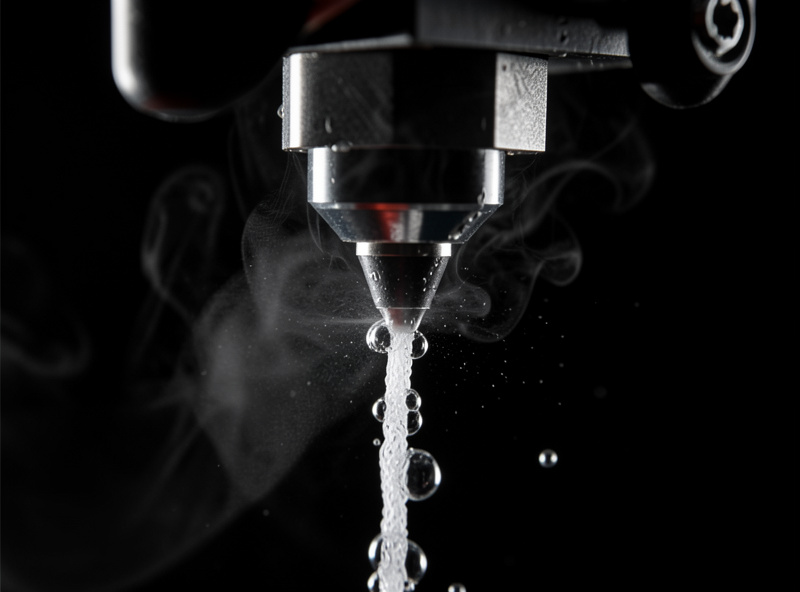
The visible symptoms of wet filament are remarkably consistent across every material I’ve run:
- Stringing and oozing that no amount of retraction tuning fully cures — because the cause is steam pressure, not retraction.
- Audible popping, crackling, or hissing at the nozzle.
- A rough, fuzzy, or pitted surface instead of a clean glossy finish.
- Weak layer adhesion — parts that snap apart between layers with far less force than they should. This is the one that matters most for the functional parts I print.
- Inconsistent extrusion and under-extrusion gaps, especially on solid top layers.
- Bubbling or steam visibly rising from the nozzle in bad cases.
If you’ve read my PETG stringing fix guide, you already know I treat unexplained stringing as a moisture problem until proven otherwise. A spool that strings on day one out of the vacuum bag and then strings worse a month later isn’t a retraction problem — it’s a wet-spool problem.
Not all filaments are equally thirsty
This is the single most useful thing I can tell you, and it’s the decision gateway for everything that follows: materials absorb moisture at wildly different rates, and they punish you for it to wildly different degrees. Treating a fresh spool of PLA like it needs the same vigilance as a spool of nylon is how people either waste hours drying filament that didn’t need it, or wreck a print with a material that absolutely did.
From years of running these on my own bench, here’s how I rank them by how much moisture matters:
| Material | Moisture sensitivity | What happens when wet | My practice |
|---|---|---|---|
| PLA | Low–moderate | Mild stringing, slight finish loss; tolerates a lot of neglect | Print from the shelf; only dry if visibly stringing or months old |
| PETG | Moderate | Stringing, popping, finish degradation | Dry before a quality print if it’s been open weeks |
| ABS / ASA | Moderate | Stringing, weaker layers, bubbling | Dry before functional prints |
| TPU (flexible) | High | Severe stringing, popping, blown extrusion — drinks water fast | Always dry before printing; store sealed |
| Nylon (PA) | Very high | Practically unprintable wet — foaming, voids, junk parts | Dry every time; print straight from a heated box |
| PA-CF / PET-CF | Very high | Brittle, weak, foamy; defeats the whole point of the material | Dry every time; print from a dry box, no exceptions |
| PC (polycarbonate) | Very high | Bubbling, severe strength loss | Dry every time |
The pattern is clear: fresh PLA tolerates skipped drying, while the engineering materials — nylon, PA-CF, PC, and to a lesser extent TPU — punish it ruthlessly. The first time I tried to print a structural PA-CF bracket without drying, it came off the bed looking like aerated chocolate and snapped in my fingers. The same model, from filament dried overnight, was a part I’d trust in a load-bearing fixture. That contrast is the whole reason this cluster exists. If you want the material-by-material specifics — exact temperatures and times — a per-material drying temperature chart is the reference to keep beside the dryer — the filament drying temperature chart gives exact temperatures and times for every common filament type..
How the moisture gets in: equilibrium, not a leak
It helps to understand the physics, because it changes how you store filament. The moisture content of a spool isn’t a one-way street that only fills up — it’s an equilibrium. The filament is constantly exchanging water vapor with the air around it, trying to balance its internal moisture with the ambient humidity. Put a dry spool in a humid room and it absorbs until it matches the room. Put a wet spool in a very dry sealed box and, slowly, it gives some moisture back to the desiccant. The rate of exchange depends on the material, the surface area exposed, the temperature, and how far the filament is from equilibrium.
Two practical consequences fall out of this. First, storage humidity is the lever that sets where your filament ends up. If your storage container sits at 15% RH, the filament will trend toward the moisture content that corresponds to 15% — which for every common material is well within printable. If your open shelf sits at 50%, the filament trends toward a moisture content that ruins the sensitive materials. You’re not preventing absorption so much as setting the target it absorbs toward. Second, a sealed container without desiccant is only as dry as the air you trapped in it. Seal a tub on a humid day and you’ve locked humid air in with the filament. The desiccant is what pulls that trapped air — and the spool — down to a safe level and holds it there.
This is also why drying time scales so dramatically with how wet a spool is and how thick the filament is. Driving water out of a 1 kg spool of nylon that’s been open for months isn’t a quick bake — the moisture has diffused deep into the plastic, and it has to diffuse back out, which takes hours at temperature, not minutes. A lightly damp PETG spool dries far faster because it never absorbed much to begin with.
The three decisions you actually have to make
Filament moisture management collapses into three questions. Get these right and you’ll never lose another print to a wet spool.
1. Does this spool need drying right now?
Don’t dry on a schedule — dry on evidence. The signals that a spool needs drying: it’s a high-sensitivity material (nylon, PC, CF blends, TPU); it’s been open for weeks in a humid room; it’s stringing or popping in a way that doesn’t match its usual behavior; or your hygrometer says the ambient humidity has been high. The borderline case is fresh PLA that’s been sitting out — and the honest answer there is “usually not, and the hygrometer plus a test print tells you when it has crossed the line.” For a full verdict on PLA’s moisture sensitivity versus other materials, the does PLA need drying guide covers the humidity thresholds and the fast test that proves whether your spool is still good.
2. How do I dry it?
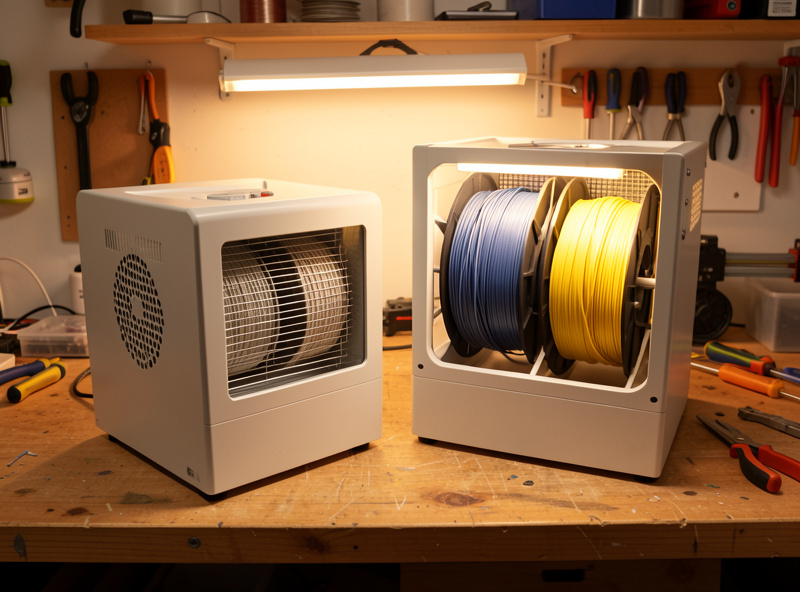
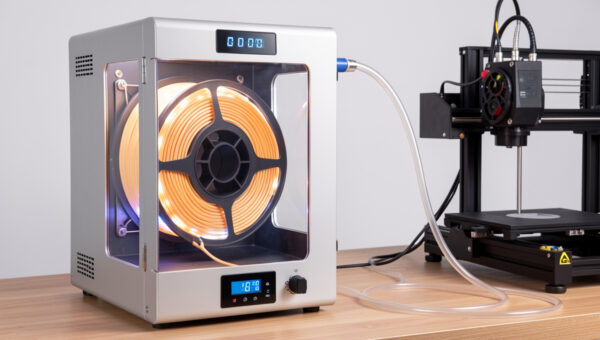
There are three real options, in rough order of how I reach for them. A dedicated filament dryer or heated dry box is the cleanest — set temperature, set time, walk away, and you can often print straight out of it. A food dehydrator is the budget powerhouse that dries multiple spools at once if you pick the right model and mod it slightly. And in a pinch, a convection oven on its lowest setting works for some materials but is risky — most home ovens run hotter and less evenly than their dial claims, and PLA will turn into a fused brick if you overshoot. The methods, times, and temperatures are covered in depth in my existing how to dry 3D printer filament walkthrough; this hub is the why and the which, that one is the how.
If you’re choosing hardware, the buying decisions split into two routes: purpose-built filament dry boxes for set-and-forget convenience, and a modded food dehydrator for the cheaper route that punches well above its price. Both get a dedicated breakdown in this cluster. For the dehydrator route specifically — which models fit full-size spools and how to modify the rack spacing — the food dehydrator for filament drying guide covers the Cosori and Nesco picks along with temperature calibration.
3. How do I keep it dry afterward?
Drying a spool and then leaving it on an open shelf is like charging your phone and immediately unplugging it to let the battery drain. Within days to weeks (depending on material and your room) it re-absorbs moisture and you’re back where you started. Storage is half the battle, and it’s exactly where my filament storage humidity guide goes deep — airtight containers, the right desiccant, and the humidity target to hold. Desiccant choice specifically — which type, rechargeable vs single-use, how much per container — gets its own breakdown later in this cluster.
Measure, don’t guess: the role of a hygrometer
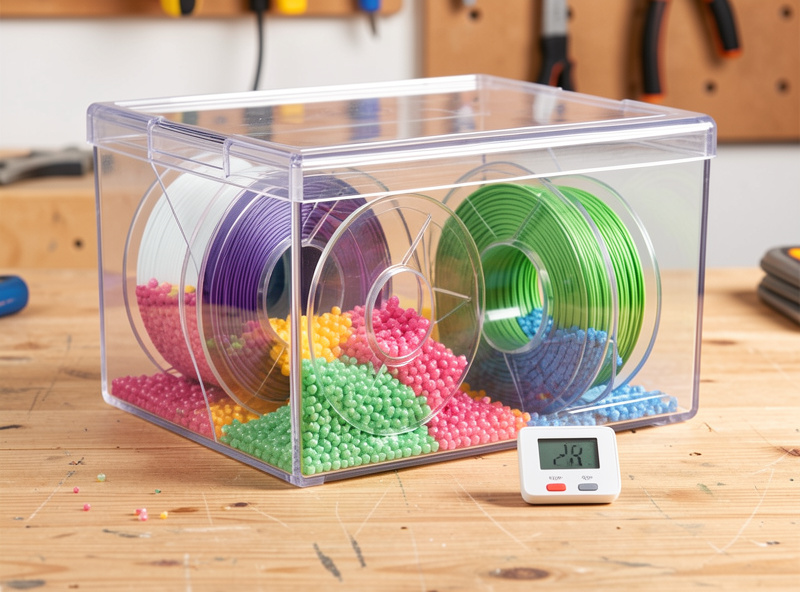
You cannot manage what you can’t measure, and filament moisture is invisible until it’s ruining a print. A cheap digital hygrometer inside your storage container is the highest-leverage few dollars in this entire hobby. I keep one in my heated dry box and another on the open shelf, and the difference is stark — the open shelf tracks the room (often 40–55% relative humidity in my Swedish workshop, higher in summer), while a sealed box with fresh desiccant sits down in the teens.
The widely-cited target for storing filament is to keep relative humidity below roughly 15–20% inside the container. That’s not a number I invented — it’s the consensus you’ll see echoed across filament manufacturers’ storage recommendations, and it matches what I’ve found keeps even thirsty materials printable straight off the shelf. Below that range, hygroscopic uptake slows to a crawl. Above ~40–50% sustained, the sensitive materials start drinking.
Dry boxes vs storage boxes: a distinction that matters
People use “dry box” loosely, but there are really two jobs, and conflating them costs money and prints. For a full buying guide on dedicated dry boxes with active heat, the best filament dry box guide ranks the top options by temperature accuracy, spool capacity, and feed-while-drying design.
- A heated filament dryer actively removes moisture from filament that’s already wet. Heat drives the absorbed water back out of the polymer. This is a drying tool.
- A desiccant storage box passively keeps already-dry filament dry. It doesn’t meaningfully dry a wet spool — desiccant alone pulls moisture far too slowly to rescue a soaked nylon spool. This is a storage tool.
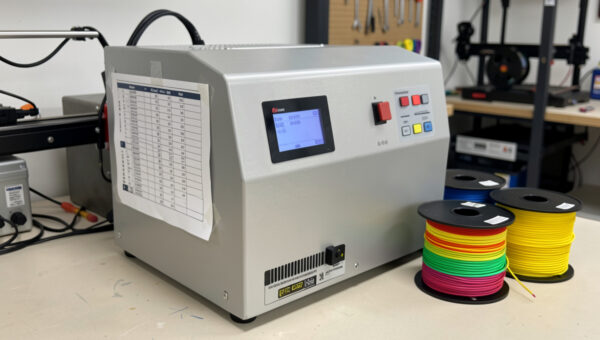
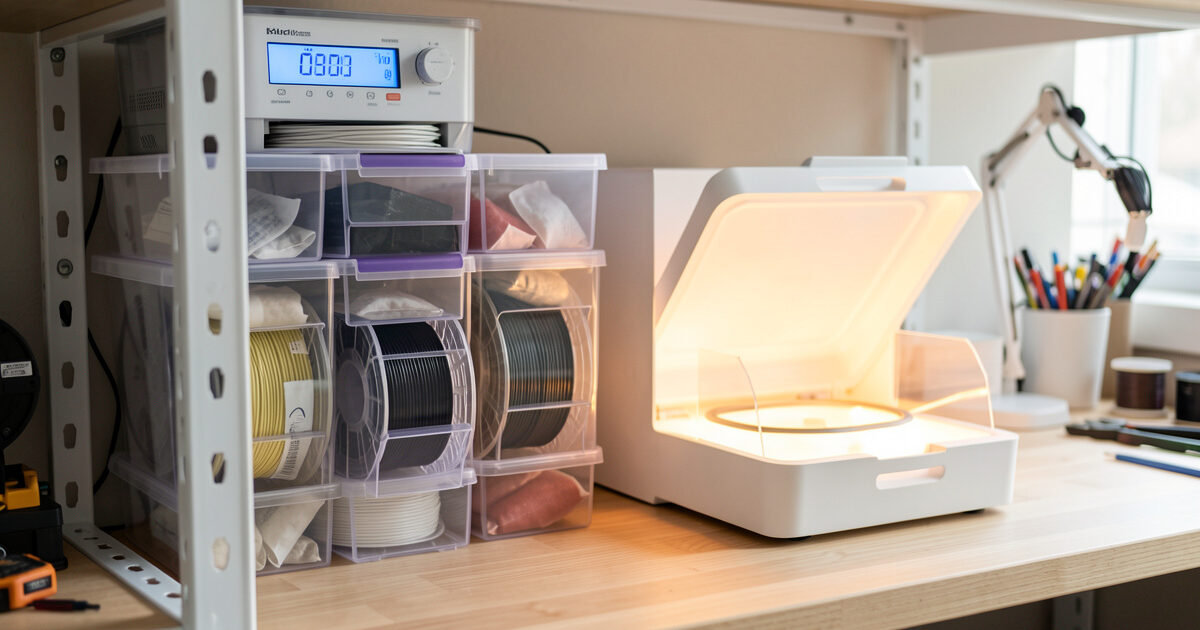
You need both functions, but they’re not the same device. A common, sensible setup: dry a spool in a heated dryer or dehydrator, then transfer it to a sealed desiccant container for storage, and only the most-used thirsty spools live in an always-on heated box that you can print directly from. That’s roughly how my own shelf is organized — a heated dry box for the nylon and CF blends I print regularly, indicating desiccant in sealed tubs for everything else. For a full comparison of silica gel types, indicating vs non-indicating, and the containers that actually seal properly, the best desiccant filament storage guide covers the options in detail..
The AMS and enclosed-system wrinkle
If you run a Bambu printer with an AMS, or any printer that stores spools inside an enclosure, the moisture conversation shifts. The AMS holds filament in a sealed-ish compartment with a desiccant tray — it’s a storage solution, not a dryer, and understanding that distinction is the difference between trusting it and being disappointed by it. The full picture — where the AMS helps and where it doesn’t — gets a dedicated guide in this cluster: the Bambu AMS humidity management guide covers desiccant swap intervals, humidity thresholds, and what the AMS actually cannot do. The short version: an AMS with fresh desiccant keeps dry filament dry, but it will not rescue a spool that came in wet, and it won’t dry nylon to printable.
Is it actually moisture? Ruling out the imposters
Moisture gets blamed for problems it didn’t cause, which sends people drying filament that was fine while the real issue goes unfixed. Before you commit a spool to an overnight dry, rule out the lookalikes:
- Stringing can be moisture, but it can also be retraction set too low, print temperature too high, or travel moves that don’t trigger retraction. The tell for moisture stringing is the popping sound and the fact that it gets worse over a spool’s life, not better — a fresh dry spool of the same filament won’t string the same way at the same settings.
- Weak layer adhesion can be moisture, but it’s also caused by printing too cold, too fast, with too much cooling, or in a draft. If a part snaps cleanly between layers and the surface looks fine, suspect temperature and cooling before moisture.
- Rough surface finish can be moisture, but it’s also flow calibration, a partially clogged nozzle, or a worn nozzle. Moisture roughness tends to come with the audible popping; a clog does not.
- Under-extrusion is usually a flow, clog, or extruder-tension problem first. Moisture contributes by introducing voids, but if you have consistent gaps with no popping, look at the extruder before the dryer.
The cleanest diagnostic I use: print the same model from a freshly dried spool versus the suspect spool at identical settings. If the dried spool prints clean and the suspect one strings and pops, it was moisture. If both behave the same, it was a setting — go tune the printer, not the filament. My general troubleshooting guide covers the non-moisture failure modes in depth.
Drying isn’t free: the tradeoffs nobody mentions
The influencer take is “just dry everything.” The honest take is that drying has real costs, which is exactly why the decision framework matters more than the act:
- Time. A proper dry for a sensitive material is hours, often overnight. Drying filament you didn’t need to dry is hours of a machine running and a spool you couldn’t print for no benefit.
- Energy. A heated dryer or dehydrator running overnight uses power. Not a lot, but across a busy shelf it adds up, and it’s pure waste on filament that didn’t need it.
- Heat damage risk. This is the real one. Dry PLA too hot and it softens, sags on the spool, fuses, or starts to anneal — and a fused spool is scrap. Every material has a safe drying temperature ceiling below its glass transition, and overshooting it does more damage than the moisture would have. This is precisely why a per-material temperature reference matters: the right number for PLA will wreck nothing, while the wrong number turns a good spool into a brick.
- Wear on cheap dryers. Budget units with no real temperature control can run hotter than their dial claims. I always verify a new dryer’s actual temperature with an independent probe before trusting it with PLA.
So the goal isn’t “dry everything obsessively.” It’s “dry what needs it, at the right temperature, and store it so you rarely have to dry it again.” That’s a less dramatic message than the hype cycle wants, but it’s the one that keeps your shelf printable and your spools intact.
A realistic moisture workflow for a working shelf
Here’s the actual routine I run, stripped of dogma:
- Fresh sealed spool: print straight from it. The factory vacuum-sealed it dry. Don’t dry filament that doesn’t need it.
- PLA/PETG that’s been open a while: check the hygrometer and the print. If it’s stringing badly or the surface is degrading, dry it. Otherwise carry on.
- TPU, nylon, PC, CF blends: assume wet, dry before printing, every time. These never get the benefit of the doubt.
- After drying: transfer to a sealed desiccant container, or keep thirsty materials in an always-on heated dry box you can feed from directly.
- Storage baseline: hygrometer in every container, desiccant recharged when it shifts color, RH held below ~15–20%.
That’s the whole system. It’s not complicated, but it does require thinking about moisture as a first-class variable rather than an afterthought you only address once a print has already failed.
Frequently asked questions
How do I know if my filament is wet?
Listen and look. Wet filament pops, crackles, or hisses at the nozzle as absorbed water flashes to steam. Visually you’ll see stringing that retraction tuning won’t fix, a rough or pitted surface instead of a clean finish, and weak layer adhesion. A digital hygrometer in your storage container tells you the ambient risk before a print ever fails.
Does all filament need to be dried before printing?
No. Fresh PLA straight from a sealed bag tolerates a lot of neglect and usually prints fine without drying. The materials that genuinely need drying every time are the thirsty engineering ones — nylon, polycarbonate, carbon-fiber blends, and TPU. Drying filament that doesn’t need it just wastes time and energy.
What humidity should filament be stored at?
The widely-recommended target is to keep relative humidity below roughly 15 to 20 percent inside a sealed storage container, which matches what filament manufacturers advise. At that level, hygroscopic moisture uptake slows dramatically even for sensitive materials. A digital hygrometer plus fresh desiccant is how you hold and verify that number.
Can I just use desiccant to dry wet filament?
No — desiccant keeps already-dry filament dry, but it pulls moisture far too slowly to rescue a wet spool. Removing absorbed water from a soaked nylon or PETG spool requires heat from a filament dryer, food dehydrator, or carefully managed oven. Use heat to dry, then desiccant to maintain.
How long does dry filament stay dry on an open shelf?
It depends entirely on the material and your room’s humidity. Thirsty materials like nylon and TPU can re-absorb enough moisture to matter within days on an open shelf in a humid room, while PLA may go weeks with no practical effect. This is why storage in a sealed desiccant container or a heated dry box is half the moisture battle.
Will a Bambu AMS dry my filament?
No. The AMS is a storage system with a desiccant tray, not a dryer. With fresh desiccant it keeps dry filament dry, which is genuinely useful, but it cannot remove moisture from a spool that came in wet, and it will not make nylon printable. Dry thirsty filament separately first, then store it in the AMS.