
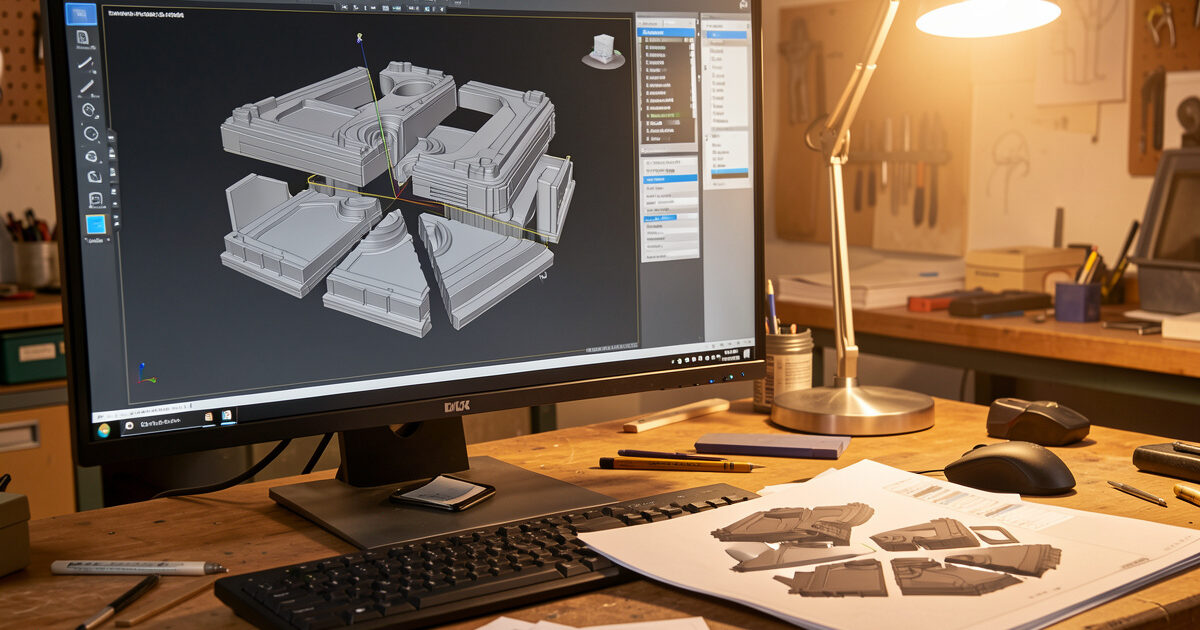
To print a large object in sections, you split the model into pieces that each fit your build plate, add alignment features so they only fit together one way, print each piece in its strongest orientation, then bond and reinforce the joints. Done right, a sectioned part is often stronger and more reliable than a single heroic print, because each piece prints in hours instead of days and a failure costs you one section, not the whole job.
This is the technique I reach for constantly, because the largest part I can print well is not the largest part my machine can technically fit. Splitting a model lets me make things bigger than any bed I own, on whichever printer is most reliable, and it sidesteps the warping and multi-day failure risk that haunts true large-format printing. Here is the workflow I actually use, from cutting the model to hiding the seam.
Plan the Split Before You Cut
The split lines decide everything downstream, so plan them before you touch the slicer. I look for three things: natural seams where a joint will hide, flat mating faces that bond cleanly, and orientations that let each piece print without heavy supports. A part split along an edge or a change in geometry hides its seam far better than one cut straight across a smooth visible face. And a cut that turns an overhang-heavy print into two support-free prints is a double win, because supports are where surface quality goes to die.
Think about load paths too. If the finished part carries weight or stress, do not put a glue joint across the exact line where it will flex, the lesson that runs through my design-for-strength guide. Move the seam to a low-stress area, or plan to reinforce it. The goal is a joint that is mechanically sensible, not just geometrically convenient.
Cut the Model: CAD vs Slicer
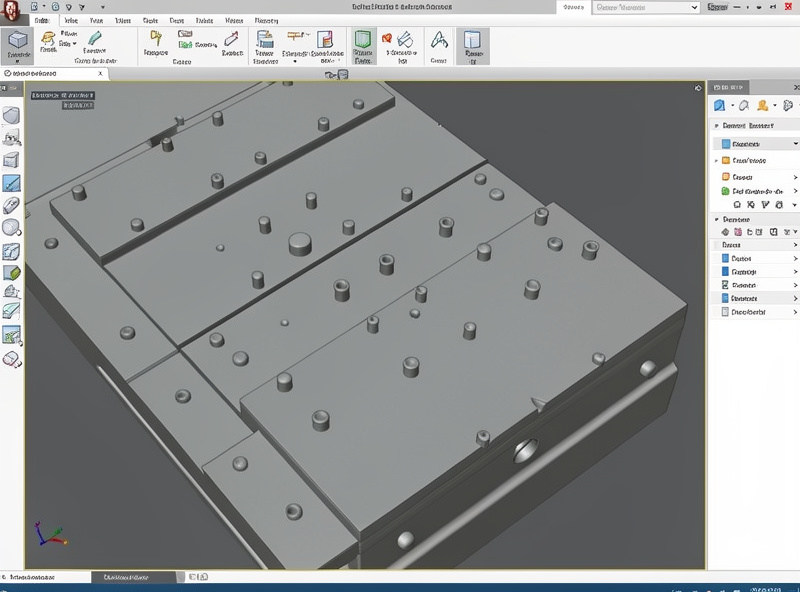
You can split a model two ways. The slicer cut tool is the fast route: most modern slicers let you slice a model with a plane, and some add connector pins automatically. It is perfect for a quick one-off where you just need the part to fit the bed. The CAD route gives you control, and it is what I use for anything functional. In CAD you can add proper alignment features, dowel holes, registration keys, or a tongue-and-groove, and you can design in pockets for heat-set inserts or screws so the joint is engineered rather than just glued.
My rule: if the part is decorative or a single throwaway, cut it in the slicer and add a couple of connector pins. If it is functional, load-bearing, or something I will make again, cut it in CAD with real alignment and reinforcement features. The extra ten minutes in CAD saves an hour of fiddling with misaligned pieces and a weak joint later.
Alignment Features Are Non-Negotiable
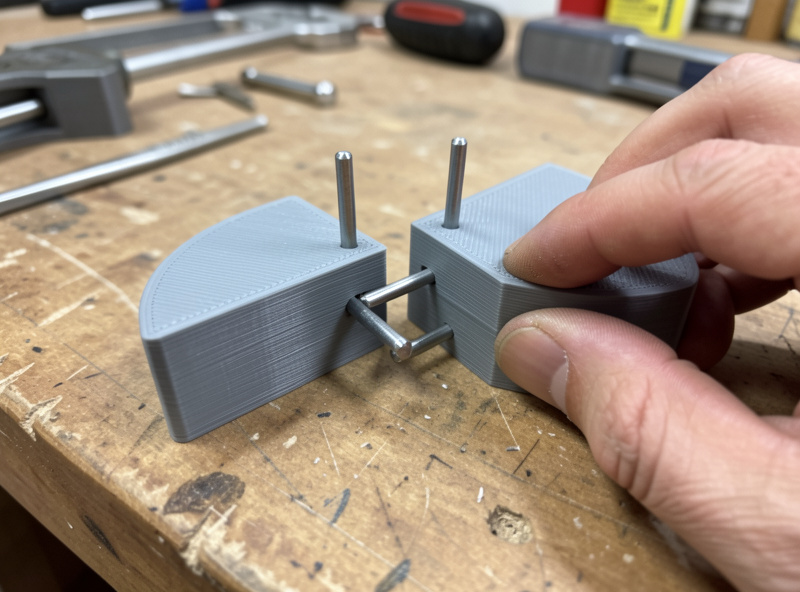
The difference between a clean sectioned part and an obvious botch is alignment. Flat faces glued together slide around while the adhesive cures and end up misaligned. Alignment features fix the pieces in exactly one position so they cannot drift. The simplest is a pair of holes and printed pins, or short lengths of filament used as dowels. Better is an asymmetric feature, a key or a notch, that only mates one way, so you cannot assemble it backwards. For a part that has to look like one piece, I add a recessed registration lip so the seam closes flush.
Bond and Reinforce the Joint
The right adhesive depends on the material and the load. For most functional PLA and PETG joints, a thick cyanoacrylate gives a fast, strong bond, and epoxy gives you working time and gap-filling for larger faces. For ABS and ASA, solvent welding with acetone actually fuses the plastic, the same chemistry I use in acetone smoothing, which makes the joint nearly as strong as the part itself. For the highest-strength joints I do not rely on adhesive alone: I design in pockets for heat-set inserts and bolt the sections together, or bridge the seam with a printed gusset.
| Method | Best material | Strength | Notes |
|---|---|---|---|
| Cyanoacrylate (CA) | PLA, PETG | Good | Fast, brittle, little gap fill |
| Epoxy | Any | Strong | Working time, fills gaps |
| Acetone welding | ABS, ASA | Very strong | Fuses plastic, ventilate well |
| Heat-set inserts + bolts | Any | Strongest, removable | Needs designed pockets |
Is a Sectioned Part Weaker Than a Single Print?
This is the worry that stops people splitting parts, and the honest answer is: it depends entirely on the joint, and a well-made joint can actually be stronger than a single print. The reason is layer adhesion. A single tall print is weakest along its layer lines, so a part loaded across those layers can delaminate. When you section a model, you get to orient each piece so its layers run the strong way for the load it carries, and then you join the pieces with a bond that crosses the original weak direction. An acetone-welded ABS joint fuses the plastic into a continuous mass, and a bolted joint with heat-set inserts can be stronger than the surrounding print.
Where a sectioned part loses is on a lazy joint: two flat faces and a smear of CA glue across a high-stress line. That joint is a stress concentration waiting to crack. So the rule is simple, and it is the same one from my functional printing work: put the seam where the load is low, give it a real mating surface and alignment, and reinforce it if it carries weight. Treat the joint as a designed feature, not an afterthought, and sectioning costs you nothing in strength while it buys you size, speed, and reliability.
How Many Pieces, and How Big
Fewer, larger pieces mean fewer seams to hide and fewer joints to fail, so I split into the smallest number of pieces that each still print reliably on my bed. The temptation is to slice a model into many small pieces because each one prints fast, but every extra seam is extra alignment work and another potential weak point. I leave a margin off the maximum bed size too, usually 10 to 20 mm per side, because cramming a piece into the absolute corners invites first-layer and skirt problems exactly where adhesion is already hardest on a big plate.
Orientation per piece is the other lever. Because each section is now an independent print, I can lay each one flat in its strongest, most support-free orientation rather than accepting the compromise a single tall print forces. That often means a sectioned part not only prints faster overall but comes off the bed with better surfaces and fewer supports to clean up. It is the same orientation thinking from the strength guide, applied piece by piece instead of to one big awkward model.
Common Mistakes When Sectioning Parts
The mistakes I see most are avoidable. The first is no alignment features, gluing flat faces and hoping, which always ends in a crooked seam. The second is splitting across a visible smooth face instead of an edge, leaving a seam that no amount of filler fully hides. The third is forgetting load paths and putting a glue joint right where the part flexes. The fourth is mismatched tolerances on the alignment pins, so the pieces either will not go together or rattle loose; I size pin holes about 0.1 to 0.2 mm larger than the pin so they seat with a little adhesive room. Get those four right and sectioning becomes routine rather than a gamble.
Hide the Seam and Finish
A bonded seam usually leaves a faint line, and how far you go to hide it depends on the part. For functional parts I leave it; the joint is the point, not invisibility. For visible parts, a pass of filler primer and sanding makes the seam disappear, the workflow I detail in post-processing. Fill any gap with a sandable filler, prime, sand back, and the eye never finds the join. For a structural part that also needs to look clean, I reinforce first, then cosmetically fill over the reinforced joint, so it is both strong and seamless.
Printing in sections is the technique that quietly removes the ceiling on part size without buying a bigger machine, which is exactly why I bring it up so often in the large format guide and the machine comparison. Before anyone spends real money on a giant printer, I want them to know that a reliable mid-size machine plus a planned split gets the same result with less risk, and it is the backbone of the functional printing work I do most. Save the big machine for when you truly, repeatedly need big single-piece parts.