A 24-port keystone panel printed in PETG costs $3 in filament and 6 hours of print time. The same panel in stamped steel from a.
On my print bench, PETG handles the network rack heat better than PLA — the keystone panels I print for the server closet hold their shape at 40 degrees ambient where PLA would warp. The DIY 3D-Printed Drip Irrigation covers the foundational networking setup this article depends on. rack vendor costs $28 plus shipping. You need four of them to fill a 1U space. The printer pays for itself on this one project alone — and the panel you print fits your exact keystone count, not the vendor’s pre-drilled layout. A laser-printed label strip slipped into a printed holder and your patch panel is organized, labeled, and built for $12 instead of $112.
Network rack accessories are the ideal 3D-printing project: load-bearing enough to justify PETG, geometrically simple enough to print without supports, and commercially overpriced enough that every printed part saves real money. A cable comb, a Raspberry Pi rack mount, a keystone blank, a brush panel strip — each one takes an hour or two on the bed, uses a few grams of filament, and replaces a part that costs $10 to $40 from a vendor who knows you have no alternative. Until you print one.
Why PETG, Not PLA, for Rack Accessories
PLA prints beautifully at 200 degrees Celsius with no warping, no bed adhesion tricks, and no enclosure needed — and it will deform inside a network rack on the first warm summer day when the ambient temperature inside the cabinet climbs past 50 degrees. A PLA keystone panel sags between the rack rails within a month of installation. The tabs that hold the keystone jacks lose their spring tension and the jacks push through when you plug in a cable. PLA is the wrong material for anything that lives inside a warm electronics enclosure.
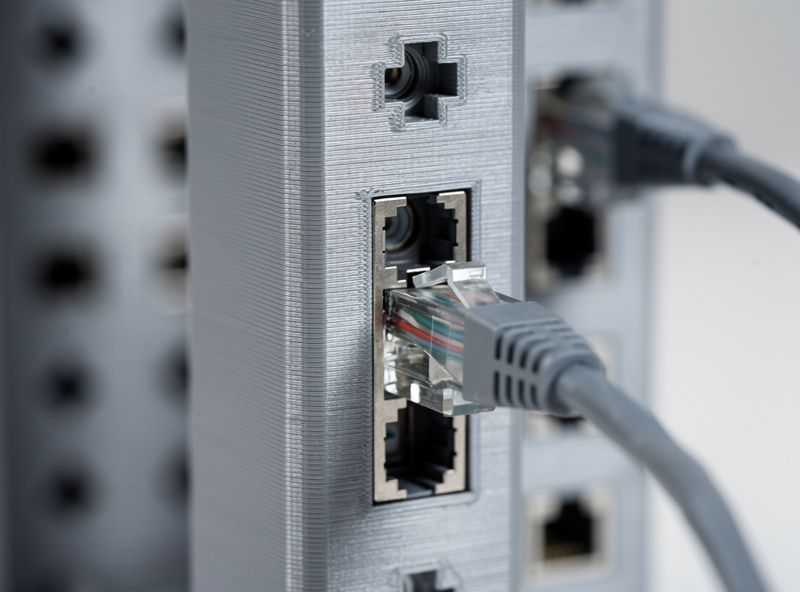
PETG prints at 230 to 250 degrees with a bed at 70 to 80 degrees, requires careful first-layer squish (too close and it strings; too far and it lifts), and produces parts with roughly 70 percent of PLA’s stiffness but with twice the impact resistance and a glass-transition temperature of 80 degrees — well above anything a network rack reaches. A PETG keystone panel supports the weight of 24 terminated Cat6 cables without sagging across a 19-inch span. A PETG cable comb flexes without snapping when you jam a bundle of cables through it. A PETG Raspberry Pi mount holds four Pis stacked vertically with passive airflow between them, and the plastic does not soften from the Pi’s 40-degree operating temperature. For the filament that lives next to the printer in my workshop, PETG is the default for anything functional, and the 3D-Printed Items for Chicken Keepers covers when to step up to filled filaments for parts that need even more thermal stability.
Keystone Panels: The Highest-ROI Print in Networking
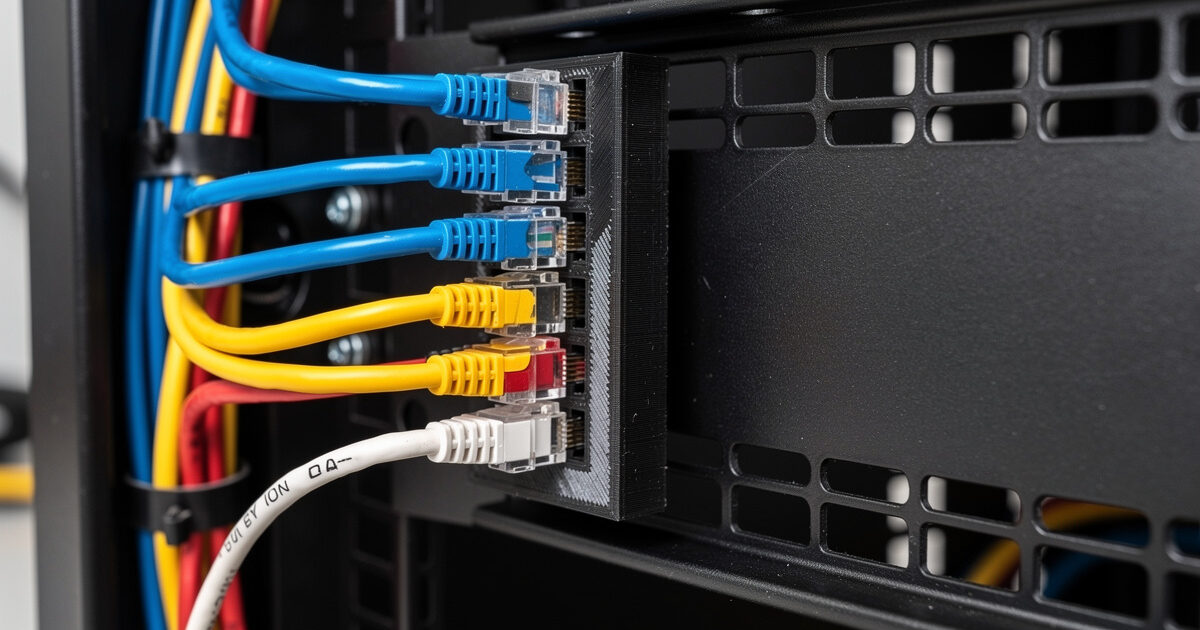
A keystone panel is a flat plate with rectangular cutouts spaced to match the rack’s mounting-hole pattern. The cutouts accept snap-in keystone jacks — RJ45, USB, HDMI, fiber — and the plate screws into the rack rails with standard cage nuts and M6 bolts. The commercial version is laser-cut steel with pressed keystone tabs that cost $20 to $30 for a 24-port unit. The printed version is a 3-millimeter-thick PETG plate with cutout dimensions of 14.5 by 19.2 millimeters — the standard keystone punch-out size — spaced 16 millimeters apart center-to-center horizontally and 24 millimeters apart vertically for maximum density in a 1U space.
The print settings that matter: 3 perimeters at 0.4-millimeter line width for stiffness across the 19-inch span, 3 top and bottom layers for the mounting-hole flanges, 25 percent gyroid infill for compressive strength at the screw points, and no supports — the rectangular cutouts bridge just fine with the stock cooling fan at 100 percent. Print time is roughly 3 to 4 hours on a mid-tier printer like the Bambu A1 or Prusa MK4, and the part comes off the bed ready to install. Six M6 bolts into six cage nuts and the panel sits flush in the rack, holding keystone jacks that click into place with the same satisfying snap as the commercial steel version.
Cable Combs: The $0.30 Part That Makes the Rack Look Professional
A cable comb is a strip of plastic with semicircular channels that hold individual cables in a parallel bundle. The commercial version is a $12 injection-molded part with 24 channels. The printed version is 12 grams of PETG in a 150-millimeter strip with 10-millimeter channels spaced on 14-millimeter centers, printed flat on the bed in 20 minutes. You print six of them for $1.80 in filament total and that is every cable bundle in a 12U rack organized.
The design is simple enough to model from scratch in five minutes in Fusion 360 or grab from Printables — the standard “cable comb” search returns dozens of parametric models. The version I use has a snap-close lid that locks the cables into the channel so the comb does not slide down the bundle when the rack vibrates. Print it with 2 perimeters and 15 percent infill — it is not load-bearing, and more plastic just makes the channels tighter and harder to snap closed. The lid hinge is the only part that benefits from PETG’s flexibility; PLA hinges snap on the third or fourth open-close cycle, PETG hinges last for years.
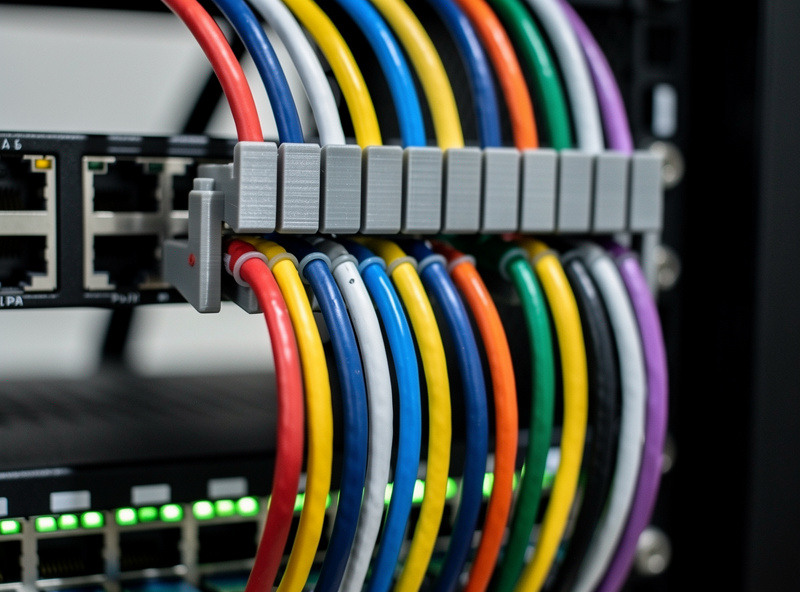
The real value of printed cable combs is not the cost savings — it is the custom sizing. A commercial comb has 24 channels whether your bundle has 16 cables or 32. A printed comb has exactly the number of channels your bundle needs, spaced to match the switch-port pitch, with a mounting tab that screws into the rack rail at the height your bundle runs. Custom-fit cable management is the difference between a rack that looks like a homelab owner respects it and one that looks like someone plugged things in and walked away.
Raspberry Pi Rack Mounts: Stacking Compute Without a Shelf
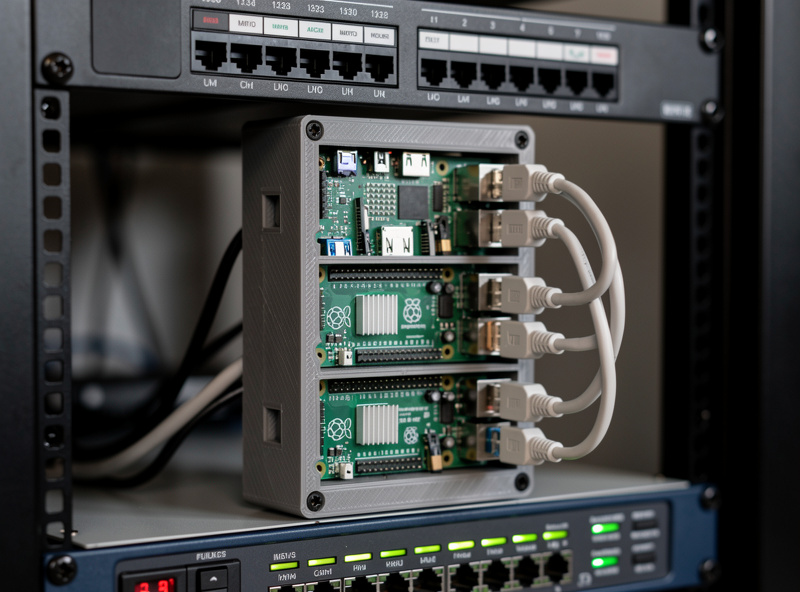
A commercial 1U rack shelf costs $25 and wastes 90 percent of the vertical space above the Pi. A printed 1U Pi mount holds four Raspberry Pi 4 or 5 boards stacked vertically with 20-millimeter air gaps between them, screws into the rack rails with four M6 bolts, and uses a fraction of the filament a full shelf would need. The mount is two side brackets and four Pi trays that slide into slots in the brackets — no screws needed for the Pi boards themselves, just friction-fit slots that hold the USB ports facing the front of the rack and the Ethernet jacks facing the rear.
The critical dimension: each Pi needs a 90-millimeter-wide tray with a 5-millimeter lip on the front and back edges to prevent the board from sliding out when cables are plugged and unplugged. The tray depth is 60 millimeters to clear the USB and Ethernet connectors, and the vertical spacing is 25 millimeters center-to-center to leave an air gap for passive cooling. Print the brackets in PETG with 3 perimeters and 25 percent infill for stiffness; print the trays in PETG with 2 perimeters and 15 percent infill to save filament on non-structural parts. Total print time across all six parts: roughly 8 hours spread across two or three print sessions. Total filament: about 180 grams, or $4.50. The resulting rack mount is lighter than a shelf, takes no shelf space, and organizes four Pis in the space that one shelf-mounted Pi would occupy. For a more complete look at what a dedicated router setup involves, the guide to building a DIY 10 GbE router covers the hardware choices that live in the rack — the printed accessories are what keep that hardware organized.
Print Settings Reference for Rack Parts
Every rack part shares the same print profile because they share the same requirements: dimensional accuracy for the keystone and rack-mount holes, stiffness across the 19-inch span, and heat resistance for the warm rack environment. The profile I use on every network-rack print: PETG at 240 degrees nozzle and 75 degrees bed, 0.4-millimeter nozzle, 0.2-millimeter layer height for detail on the keystone tabs, 3 perimeters for structural parts (panels and brackets) or 2 perimeters for non-structural parts (cable combs, Pi trays), 3 top and bottom layers, gyroid infill at 15 to 25 percent depending on the part, and a 5-millimeter brim on parts with sharp corners to prevent warping on the unenclosed bed. The brim adds 2 minutes of post-processing with a deburring tool and is always worth the cleanup time compared to a part that lifts in hour five of a six-hour print.
One profile, proven across dozens of rack prints, stored in the slicer as “PETG Rack Parts.” When the next homelab project needs a custom accessory, the profile is already dialed in. The printer is ready. The filament is on the shelf. The only variable is the CAD model, and the CAD model for rack parts is almost always a rectangle with holes in it — the simplest geometry in the workshop and the most useful thing the printer produces.
Frequently Asked Questions
Will PLA keystone panels work in a cool basement rack?
They will work temporarily but degrade within months. Even a 22-degree basement rack reaches internal temperatures of 35 to 40 degrees from switch and router heat. PLA softens at roughly 55 degrees and creeps under load well below that — the keystone tabs lose tension and the cables push the jacks through the panel. Use PETG for permanent rack installations.
How do I design keystone cutouts that actually hold the jacks?
The standard keystone cutout is 14.5 millimeters wide by 19.2 millimeters tall with a 45-degree chamfer on the front edge for insertion guidance. Print a test piece with 2 cutouts before committing to a full 24-port panel. Adjust the horizontal dimension by 0.1mm increments if the jacks are too loose or too tight — PETG shrinks slightly more than PLA and tight tolerances need test fits.
Are 3D-printed rack ears strong enough for a switch?
Not for heavy switches. A 3-millimeter PETG bracket printed with 4 perimeters and 50 percent infill supports up to roughly 2 kilograms in a static rack mount — enough for a lightweight patch panel or a Raspberry Pi. An 8-port managed switch weighing 3 kilograms needs metal rack ears or a shelf. Printed ears on heavy gear fail at the screw holes under vibration.
What infill pattern is best for rack parts?
Gyroid infill at 15 to 25 percent. Gyroid distributes load in three dimensions and resists the compression at the screw-mount points where standard rack hardware meets the printed part. Grid infill at the same percentage collapses under the point load of a tightened M6 bolt. Avoid lightning or adaptive infill for anything load-bearing.
Can I print a 2U or 3U panel on a standard 220x220mm bed?
A 2U panel is 88 millimeters tall and fits on a standard bed if oriented across the diagonal. A 3U panel at 133 millimeters also fits diagonally. Add a brim because the diagonal orientation puts the sharp corners near the bed edge where adhesion is weakest and cooling is most uneven. Split the panel into left and right halves with a dovetail joint if you prefer horizontal orientation without brimming.
How do I prevent stringing when printing PETG rack panels?
Dry the filament for 4 to 6 hours at 55 degrees before printing — wet PETG strings regardless of retraction settings. Set retraction distance to 1 to 1.5 millimeters for a direct-drive extruder or 4 to 6 millimeters for Bowden. Disable z-hop, which pulls molten filament upward and creates the strings you see between cutouts. Wipe while retracting is more effective than coasting for PETG.