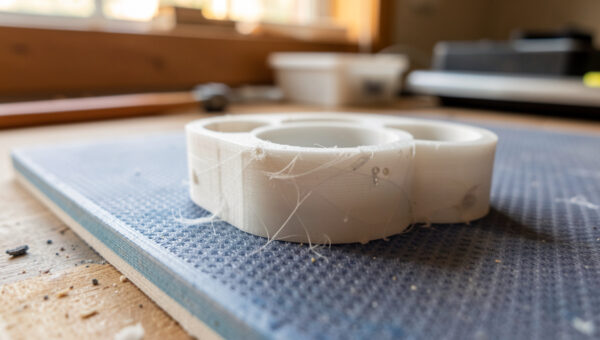
Stringing is fixed by lowering nozzle temperature and tuning retraction — in that order. Most cobwebbing clears with a 5 to 15°C temperature drop plus correct retraction distance, and the rest comes from drying the filament. It is a pressure-and-heat problem, not a sign your printer is broken.
I print PETG for most of my functional parts, and PETG is the worst stringing offender on the shelf, so I have run this fix more times than any other on my bench. The good news: stringing is one of the most reliably curable defects once you stop changing things at random and work the levers in the right sequence. Here is exactly how I dial it out across the machines I run.
Stringing Versus Oozing: Same Cause, Two Tells
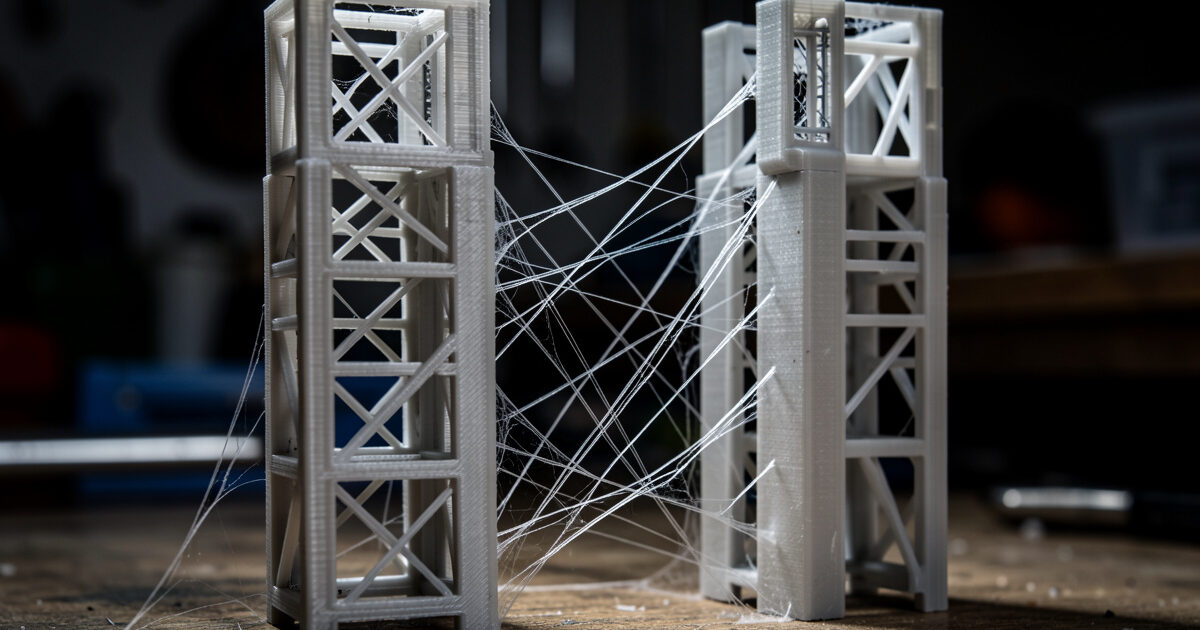
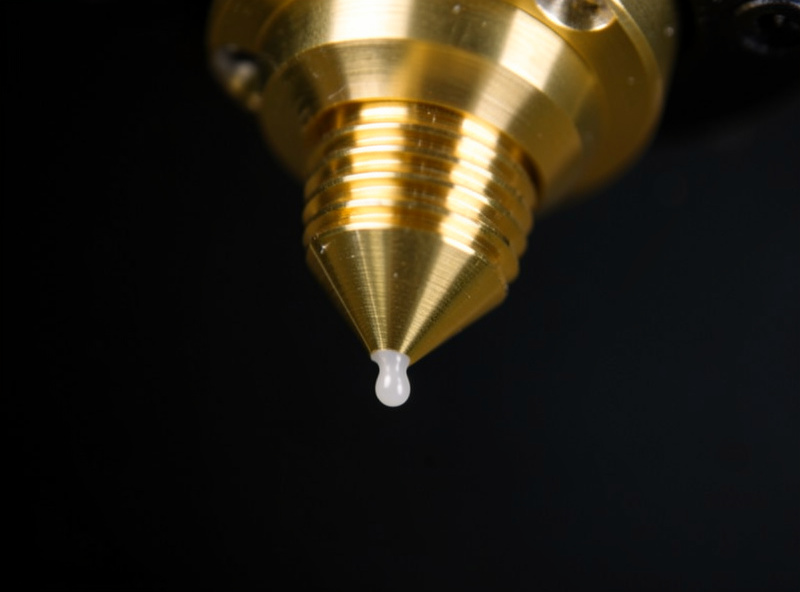
Stringing and oozing are the same underlying problem at two scales. Oozing is molten plastic seeping out of a stationary or slow-moving nozzle because there is pressure left in the melt zone. Stringing is that ooze getting dragged across open space during a travel move, leaving a thin web between features. Fix the pressure and you fix both.
The reason it happens: thermoplastic in the hotend is under pressure from the extruder, and even after the printer stops pushing, that pressure keeps weeping filament out the nozzle. Retraction pulls the filament back to relieve the pressure; temperature controls how runny the plastic is in the first place. When either is wrong, you get strings. This is purely a surface-quality issue — it almost never affects part strength — but it makes a print look amateur and adds cleanup time.
The Two Levers That Matter Most
Temperature comes first because it is the bigger lever. Hotter plastic is runnier and weeps more, so dropping the nozzle even 5°C often cuts stringing visibly. The catch is that too cold causes its own problems — under-extrusion and weak layer bonding — so you want the lowest temperature that still flows cleanly. The right way to find it is a temperature tower, which prints the same geometry at descending temperatures so you can read the best one straight off the part.
Retraction is the second lever: distance (how far the filament is pulled back) and speed (how fast). Too little retraction leaves pressure in the nozzle; too much can grind the filament or cause clogs. Direct-drive extruders need short retractions, usually under a millimetre or two; Bowden setups need much more because of the long tube. I cover the full method in my retraction tuning guide, but the table below is my starting point per material.
| Material | Stringing Tendency | Nozzle Temp Start | Direct-Drive Retraction |
|---|---|---|---|
| PLA | Low | 200–210°C | 0.6–1.0 mm |
| PETG | High | 230–240°C | 1.5–2.5 mm |
| ABS / ASA | Medium | 240–250°C | 0.8–1.5 mm |
| TPU 95A | Medium-High | 220–230°C | 1.0–2.0 mm (slow) |
These are starting points from my own logs, not gospel — every spool and hotend differs, which is exactly why you test. Move one value at a time and let the part tell you.
Dry the Filament Before You Blame the Settings
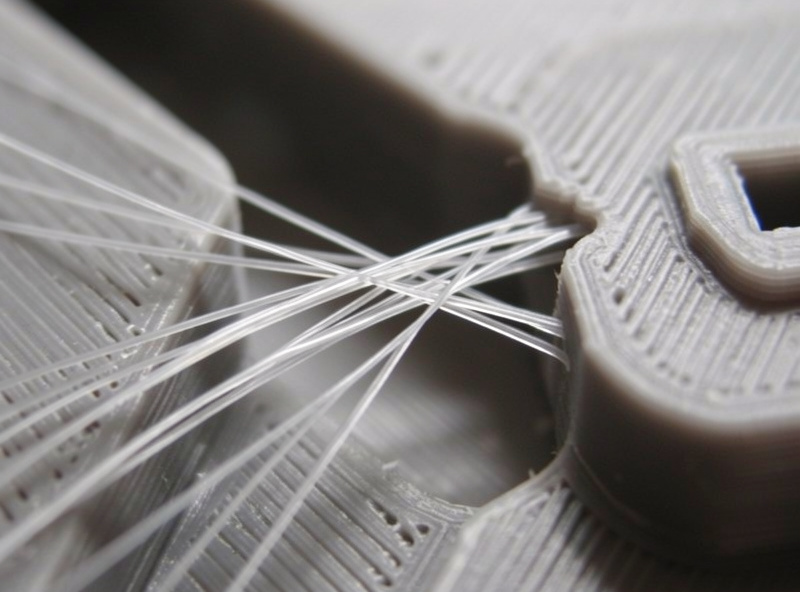
This is the cause people skip, and it is the one that wastes the most time. Wet filament strings no matter how perfect your temperature and retraction are, because absorbed moisture flashes to steam in the hotend and blows tiny bursts of plastic out the nozzle. PETG, nylon, and TPU drink water fastest; PLA is slower but not immune. If a spool that printed clean last month suddenly webs, moisture is the prime suspect.
The tell is a faint hissing or popping during printing and a rougher surface alongside the strings. The fix is a filament dryer or a low oven, plus storage in a sealed box with indicating desiccant afterward. I keep a heated dry box on the bench and a hygrometer in it; the spools that matter never sit in open air. Drying before tuning saves you from chasing a settings problem that does not exist. Prusa’s stringing and oozing guide puts temperature and retraction in the same order I do.
Travel Speed, Combing, and Coasting
Once temperature and retraction are close, three slicer settings clean up the rest. Faster travel speed gives the ooze less time to deposit a string between points, so raising travel speed often helps. Combing (avoid-crossing-perimeters) keeps travel moves inside the model where any ooze is hidden. Coasting and wipe settings relieve pressure just before the nozzle lifts. None of these matter until the big two levers are right — they are polish, not the fix. Simplify3D’s troubleshooting guide treats travel and combing the same way, as cleanup after temperature and retraction.
The Order I Tune Stringing Out
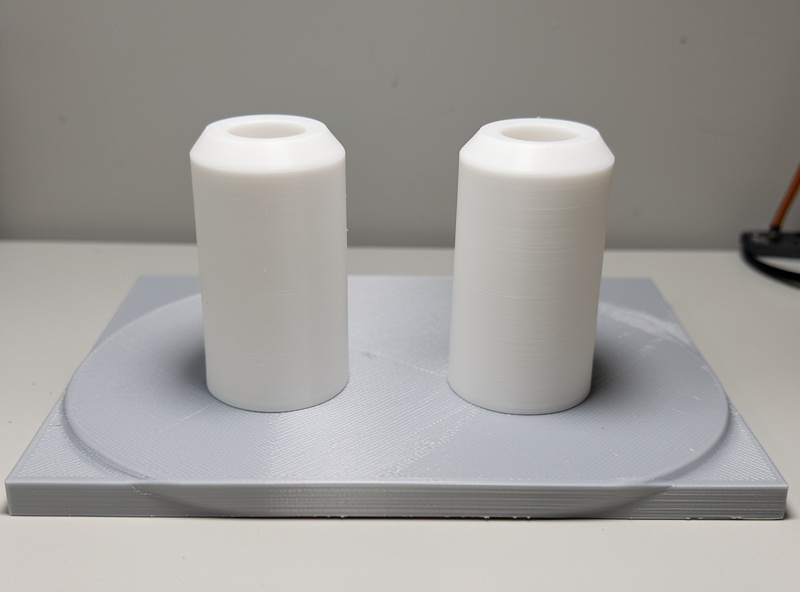
Sequence matters because each step assumes the last is settled. Mine, every time: dry the filament, run a temperature tower and pick the lowest clean temperature, set retraction distance for the extruder type, then add travel speed and combing if any wisps remain. Print a two-tower retraction test between changes so you are reading one variable at a time. Working out of order — tuning retraction on wet filament, say — just bakes in error you will have to undo.
If you have done all of this and one material still strings, that is normal: some filaments simply web more. The point is to get to the floor for that spool, then accept a quick cleanup pass with a heat gun or a deburring tool. For the worst offender on the shelf I keep a dedicated walkthrough — the PETG stringing fix — because PETG needs its own numbers.
Print Speed, Cooling, and the Nozzle Itself
A few secondary factors sneak into a stubborn stringing case. Part cooling matters: too little fan on PLA leaves the plastic molten longer between features and lets strings form, while PETG often wants less fan to bond properly, so the right answer is material-dependent. If your strings appear mostly on tall, thin features, weak cooling is a likely contributor.
The nozzle condition is the other quiet culprit. A nozzle with burnt-on plastic or a partially worn tip drools unevenly no matter how clean your settings are, because the melt does not release cleanly. I wipe my nozzles between filament changes and swap a tip the moment it starts to drag. On my direct-drive Prusa MK4S I note PETG retraction near 1.5 mm, far less than the long pulls I used to run on older Bowden machines. A worn brass nozzle on an abrasive carbon-fiber blend is a classic case where stringing and rough surfaces show up together — the fix there is a hardened nozzle, not another retraction tweak. Rule out hardware before you chase the slicer in circles.
Where Stringing Fits in the Bigger Picture
Stringing is one defect in a family. If you are also fighting a sideways offset, that is mechanical, not heat — see layer shifting. If walls split under load, that is adhesion and bonding territory, not ooze. And whether your extruder is direct-drive or Bowden changes your retraction numbers more than any other factor. The full symptom map lives in my 3D print quality problems hub, which points each defect to its own fix.
Frequently Asked Questions
What is the fastest fix for 3D print stringing?
Lower the nozzle temperature by 5 to 10 degrees Celsius first, then confirm retraction is enabled and set correctly for your extruder type. Temperature is the bigger lever and clears most stringing on its own. Dry the filament if it still webs.
Why does PETG string so much more than PLA?
PETG stays soft and runny over a wider temperature band than PLA, so it keeps oozing during travel moves. It also absorbs moisture faster. PETG typically needs more retraction and benefits most from drying before any setting changes.
Can wet filament cause stringing?
Yes. Absorbed moisture flashes to steam in the hotend and sprays small bursts of plastic, causing strings and a rough surface no matter how good your settings are. A hissing or popping sound during printing is the tell. Dry the spool before tuning.
How much retraction distance should I use?
Direct-drive extruders usually need 0.6 to 2.5 millimetres depending on material; Bowden setups need much more because of the long tube. Start low, raise it until stringing stops, and avoid going so high that you grind filament or cause clogs.
Does stringing weaken the print?
No. Stringing is a surface-quality and cleanup issue, not a structural one. It does not affect part strength. If your part is weak or splits along layers, that is layer separation, a different problem caused by low temperature, high speed, or wet filament.